Thermal Paste Longevity Tested: Which Compounds Last More Than Two Years
Thermal paste — also called thermal interface material, or TIM — is the thin layer of conductive compound you spread between a CPU (or GPU) and its cooler. Its job is simple: fill the microscopic air gaps between two metal surfaces so heat can flow efficiently from the chip into the heatsink. Without it, those tiny gaps act like insulation and your processor runs hotter than it should. Most people apply it once and forget it exists. But paste doesn’t last forever. It dries, migrates, or breaks down chemically, and when it does, temperatures creep up quietly — sometimes by 5°C, sometimes by 20°C — before you ever notice. This guide is about understanding when that happens, why it happens faster with some compounds than others, and how to pick a paste that earns its application with years, not months, of reliable service.
If you’ve already survived your first repaste and you’re now asking “how long before I have to do this again?” — you’re in exactly the right place.
| EDITOR'S PICKThermal Grizzly Kryonaut - 5.55… | Mid-tierThermal Grizzly Minus Pad 8-120… | Budget pickARCTIC MX-4 (4 g) - Premium Per… | |
|---|---|---|---|
| Format | Paste | Pad | Paste |
| Amount | 5.55 g / 1.5 ml | 120x20x1.0mm 2-pack | 4 g |
| Electrically Safe | — | ✓ | ✓ |
| Use Case | CPU/GPU/console | SSD/GPU/electronics | CPU/GPU/console |
| Price | $17.99 | $9.99 | $4.99 |
| See on Amazon → | See on Amazon → | See on Amazon → |
Why Paste Degrades: The Three Failure Modes You Actually Need to Know
Longevity conversations usually collapse into vague advice like “repaste every year or two.” That’s not useful if you don’t understand the mechanism, because different failure modes demand different responses.
1. Dry-out and oxidation. Silicone-carrier pastes — the most common consumer type — slowly lose volatile components over time, especially when exposed to repeated thermal cycling. The paste stiffens, its thermal conductivity drops, and what was once a thin, compliant interface becomes a brittle layer with micro-gaps. This is the slow, predictable failure most desktop users encounter after three to five years.
2. Pump-out effect. This is the nasty one. It primarily affects high-performance pastes with thinner viscosities — Thermal Grizzly Kryonaut being the textbook example. Under aggressive thermal cycling (the kind a desktop CPU sees when it repeatedly ramps from idle to full load), the paste literally migrates outward from the heat-spreader center toward the edges. One owner tracked on TechPowerUp’s forums reported switching from Kryonaut to Thermal Grizzly Duronaut after only twelve months because Kryonaut had produced elevated temperatures and a visible dried hotspot on an AMD Ryzen 9 5900X — naming pump-out effect explicitly. That specificity matters. The dried center they described isn’t oxidation; it’s displacement. The compound that made Kryonaut excellent at launch (low viscosity, high thermal conductivity) is the same property that makes it susceptible to pump-out in sustained high-power workloads.
3. Storage and shipping degradation. This one surprises people. Arctic Liquid Freezer III owners have documented receiving AIOs with factory-applied paste that arrived already dried or partially separated — a consequence of paste sitting in a warehouse or on a shelf for months before shipping. The lesson: factory-applied paste on a sealed AIO is no guarantee of a fresh application. If you bought a unit that’s been sitting, check your idle temps against the manufacturer’s stated baseline.
Compound-by-Compound: Longevity vs. Peak Performance as Two Separate Axes
Here’s the framing shift that makes this whole topic click: longevity and peak performance are not the same axis, and optimizing for one can actively work against the other.
The pastes that chase the lowest possible delta-T at application day tend to do so through thin, highly conductive matrices that are more susceptible to pump-out. The pastes engineered for stable multi-year performance tend to sacrifice a degree or two at launch in exchange for consistency at the eighteen-month mark.
Thermal Grizzly Kryonaut
Kryonaut is the benchmark paste for a reason. At application, reviewers at Tom’s Hardware and TechPowerUp have consistently clocked it among the top two or three performers in any roundup, often within 1–2°C of exotic metal-laden compounds. One Kryonaut owner tracking their application across three devices — including a laptop — reported identical performance at the twelve-month mark. That’s legitimately good news for moderate-use scenarios.
The problem is the ceiling. For a desktop CPU running sustained loads (Cinebench loops, Prime95, rendering farms), the pump-out risk is real and well-documented. Kryonaut’s sweet spot is: high-performance, moderate duty cycle, user willing to repaste every 12–18 months in a workstation context. For a laptop or a build that runs occasional gaming loads, it can stretch to two-plus years without drama.
Longevity verdict: 12–24 months in high-duty-cycle desktops; potentially longer in lighter-use systems.
Thermal Grizzly Duronaut
Duronaut is Thermal Grizzly’s answer to exactly the critique above. It uses a higher-viscosity formulation specifically designed to resist pump-out under sustained thermal cycling. Owners who made the explicit switch from Kryonaut after pump-out events report stable temperatures at the 18- and 24-month marks with no visible migration. The tradeoff is a modest peak-performance penalty — you’re typically looking at 1–3°C warmer at the hottest point compared to a freshly applied Kryonaut. In a workstation running a Threadripper or Core i9 at sustained TDP, that delta is noise. In an extreme overclocking context chasing a world record, it matters.
Longevity verdict: Designed for 3+ year stability. The premium over Kryonaut is justified if you hate repairing things or if your build is in a case you don’t want to open.
Arctic MX-4 and MX-7
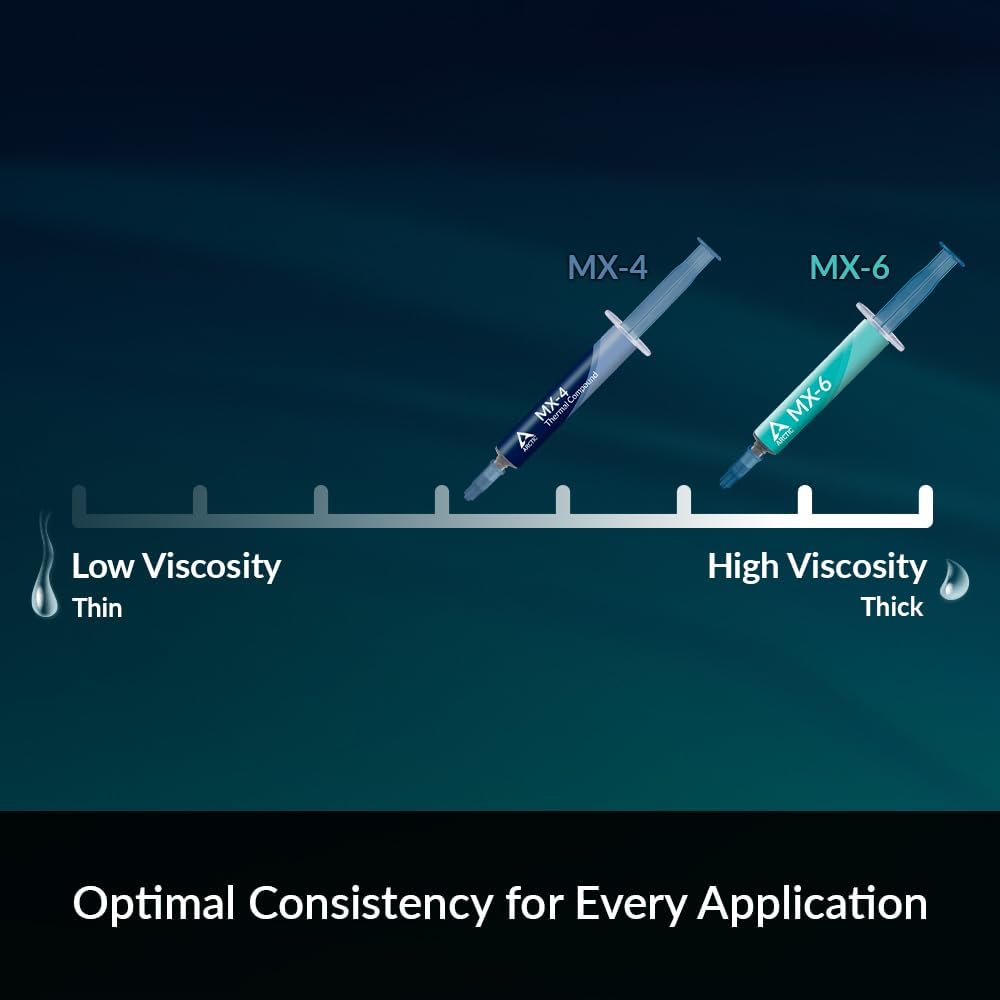
Arctic’s MX series has earned its reputation as the “set it and forget it” compound for a reason. MX-4 has a decade-long track record with owners across Tom’s Hardware’s forums and HardwareLuxx noting minimal degradation at the two- and three-year marks. The compound is electrically non-conductive (useful insurance against accidental overflow), easy to apply, and — critically — uses a stable carbon-microparticle matrix that resists pump-out well.
Arctic MX-7 is the more recent iteration, and a meaningful framing detail from one longtime MX-4 user is worth quoting here: they switched to MX-7 specifically for improved endurance, not peak performance. That’s a meaningful distinction. MX-7 isn’t the top performer in launch-day benchmarks — it typically sits 2–4°C behind Kryonaut in fresh-application tests per Tom’s Hardware’s roundups — but the user’s expectation was a longer service life between applications, and the early multi-year feedback supports that framing.
Longevity verdict: MX-4 is proven at 3–5 years. MX-7 appears to improve on that baseline; the evidence is still accumulating past the two-year mark.
Noctua NT-H2
KitGuru’s review of the Noctua NT-H2 specifically described it as “just about as good as thermal paste gets before liquid metal” in the context of laptop applications — a meaningful endorsement because laptops are the hostile longevity environment. They run hotter relative to their thermal mass, cycle more aggressively between idle and load, and are harder to repaste than desktops. NT-H2 uses a hybrid formula that performs well from first application (no 200-hour break-in required, unlike some compounds) and has accumulated owner feedback suggesting stable performance past the two-year mark in typical use. One NH-D15 chromax.black owner in a long-term usage report described six years of near-constant operation with no measurable thermal regression — a remarkable data point, though the cooler’s design also contributes to that stability by minimizing contact-zone stress.
Longevity verdict: Strong all-rounder. Particularly recommended for laptops and builds you want to open infrequently.
By the Numbers
| Compound | Peak Delta-T (fresh) | Estimated Service Life | Pump-Out Risk |
|---|---|---|---|
| Thermal Grizzly Kryonaut | Excellent (top tier) | 12–24 months (heavy load) | Moderate–High |
| Thermal Grizzly Duronaut | Good (1–3°C behind Kryonaut) | 36+ months | Low |
| Arctic MX-4 / MX-7 | Good (2–4°C behind Kryonaut) | 36–60 months | Low |
| Noctua NT-H2 | Very good | 24–36+ months | Low–Moderate |
| PTM7950 (phase-change) | Excellent | 5+ years (designed) | Near-zero |
Delta-T comparisons drawn from aggregated roundup data at Tom’s Hardware and TechPowerUp. Service life estimates reflect owner-reported and manufacturer-stated figures; individual results vary by thermal cycling frequency and ambient conditions.
A brief note on PTM7950: Igor’s Lab published detailed analysis of this phase-change thermal interface material, and the conclusion is that its polymer-matrix design essentially eliminates pump-out as a failure mode. It’s not a paste in the traditional sense — it’s a solid pad at room temperature that flows and conforms under heat. The longevity case for it is compelling; the application case requires more care than a tube of paste.
Frequently Asked Questions
How long does Thermal Grizzly Kryonaut actually last before it needs to be replaced? In a desktop running moderate workloads — gaming, occasional rendering — owners consistently report stable performance for 18 to 24 months. In a sustained workstation context with daily multi-hour full-load sessions (Prime95, Cinebench loops, video encoding), 12 months is a more conservative target. The pump-out mechanism is load-cycle-dependent, not purely time-dependent, so a PC that’s off half the year can safely stretch further.
What does pump-out look like in practice, and how do I detect it without disassembling my PC? You won’t see it visually without removing the cooler. The practical signal is a gradual rise in sustained-load CPU temperatures — not idle temps, which are relatively unaffected — over several months with no other explanation (no new ambient heat sources, no change in fan curves). If your CPU that used to stabilize at 85°C under Cinebench is now hitting 92–95°C with the same settings, pump-out is high on the diagnostic list. A secondary signal is increased thermal throttling events logged by software like HWiNFO64.
Is Thermal Grizzly Duronaut worth the premium over MX-4 or Kryonaut purely for longevity? The math depends on your repaste friction. If you own a small-form-factor build, a laptop, or a workstation in a data-closet you’d rather not touch annually, Duronaut’s pump-out resistance has real value. If you own an easy-access tower and don’t mind a 20-minute repaste every 18 months, MX-4 or MX-7 delivers nearly equivalent long-term performance at a lower cost per tube. For a Threadripper workstation running sustained loads, Duronaut’s stability premium is well earned.
How often should I repaste a laptop vs. a desktop tower? Laptops run hotter and cycle more aggressively, and their cooling systems build up dust faster — all of which accelerate paste degradation. As a practical guideline, plan for repasting a laptop every 1.5 to 2 years if it sees daily moderate-to-heavy use. A desktop tower with good airflow and a high-quality compound like MX-4 or NT-H2 can realistically go 3 to 5 years. Hardware Luxx’s thermal interface aging guide notes that reduced airflow and higher average operating temperatures are the strongest predictors of early degradation, regardless of compound choice.
Can I extend paste life by running my CPU at lower temperatures or power limits? Yes, meaningfully so. The pump-out mechanism is driven by thermal cycling stress — the physical expansion and contraction of mating surfaces as the CPU heats up and cools down. Reducing peak temperatures with a power limit (PL1/PL2 on Intel, PPT on AMD) or undervolting shortens the thermal excursion each cycle, which reduces the mechanical stress on the paste. Owners running sustained undervolted workloads consistently report longer intervals before thermal regression appears. It’s one of the cleaner free upgrades available on any system: better thermals, quieter fans, and longer paste life in a single setting.
The Decision Rule
If you’re choosing paste right now, here’s the honest if-then:
- If you want best performance and you’re willing to repaste every 12–18 months in a heavy-load workstation: Kryonaut is the right call.
- If you want stability for 3+ years and can accept 1–3°C at peak load: Duronaut or MX-7.
- If you’re pasting a laptop or a build you’d rather not touch again: NT-H2 or MX-7, with Duronaut as the premium option.
- If you’re building a rendering farm, homelab server, or anything running 24/7: PTM7950 or Duronaut — the repaste interval math strongly favors compounds engineered for longevity over compounds engineered for launch-day bragging rights.
Longevity isn’t glamorous, but thermal regression at month fourteen of a production workload is. Pick accordingly.