If you’ve ever swapped out a CPU cooler and wondered whether the little syringe of goop between your processor and its heatsink actually matters — it does, though the answer is more nuanced than vendors want you to believe. Thermal paste (also called thermal interface material, or TIM) fills the microscopic air gaps between two metal surfaces that look flat but aren’t, at the microscopic scale. Air is a terrible heat conductor; paste is much better. The difference between a mediocre compound and a great one is measured in degrees Celsius under full load — a gap that’s meaningless at stock settings but very real the moment you start pushing power limits. This guide cuts through the marketing noise: we’ve read the large-scale benchmarks so you don’t have to, and we’ll tell you exactly which tier of compound is worth buying for your specific situation.
After the on-ramp, this article shifts into practitioner mode. We’ll name tradeoffs, show you representative thermal deltas, and end with a plain decision framework. If you’re a first-time builder, stick with us — we’ll keep the shorthand explained.
| EDITOR'S PICKThermal Grizzly Kryonaut - 5.55… | Mid-tierNoctua NT-H2 3.5g | Budget pickThermal Grizzly Kryonaut - 1 Gr… | |
|---|---|---|---|
| Amount | 5.55 g / 1.5 ml | 3.5 g | 1 g |
| Cleaning wipes | — | ✓ | — |
| Overclocking | ✓ | — | ✓ |
| PS4/PS5/Xbox | ✓ | — | ✓ |
| GPU use | ✓ | — | ✓ |
| Volume (ml) | 1.5 | — | — |
| Price | $17.99 | $14.95 | $6.74 |
| See on Amazon → | See on Amazon → | See on Amazon → |
Why the Thermal Paste Market Is More Complicated Than It Looks
Walk into any PC hardware retailer in 2026 and you’ll find somewhere between twenty and forty compounds on the shelf, priced from under $5 to over $30 for a 4–5 gram syringe. The marketing copy on all of them promises exceptional thermal conductivity. The problem is that conductivity ratings (measured in watts per meter-kelvin, or W/m·K) are largely self-reported by manufacturers under controlled lab conditions that rarely match a heatspreader-to-cold-plate interface in your actual build.
TechPowerUp’s thermal compound mega-test, which aggregates data across more than a hundred compounds on a standardized test platform, is one of the most useful public datasets available. The consistent finding across that dataset: the gap between the worst mainstream compound and the best premium compound is roughly 3–8°C under a sustained full-load test on a high-TDP processor. On a 125W Ryzen 7 or Core i7 running at stock settings, 3°C is functionally invisible. On a 253W Ryzen Threadripper or a manually overclocked Core i9 at 300W+, those degrees directly determine whether you can hold your target all-core frequency or whether the system throttles.
That context is everything. Paste choice is a leverage question, not a binary good/bad question.
The Four Performance Tiers (With Real Numbers Behind Them)
Here’s the landscape as it stands in mid-2026, informed by Tom’s Hardware’s 2025 roundup, TechPowerUp’s mega-benchmark, and KitGuru’s TIM roundup.
Tier 1 — Budget / Included-in-Box (< $8)
Examples: Cooler Master MasterGel Maker (older stock), generic included paste on entry-level coolers, Arctic MX-4 (bundled edition).
These compounds typically carry conductivity claims of 4–8 W/m·K. Published benchmarks consistently place them 4–6°C warmer than the top performers under heavy load. That said, PC Mag’s buying guide notes that quality bundled paste from reputable cooler brands — Noctua’s NT-H1, for instance, which ships in the box with every Noctua cooler — outperforms many aftermarket tubes in this tier. If your cooler came with a name-brand compound pre-applied or in the box, replacing it with something from this same tier gains you nothing measurable.
Decision point: If you’re building a mid-range gaming rig at stock clocks, don’t spend a dime here beyond what came in the box — as long as that box has a name on it.
Tier 2 — Mid-Range Workhorse ($8–$16)
Examples: Arctic MX-6, Thermal Grizzly Hydronaut, Cooler Master MasterGel Pro V2, Noctua NT-H2.
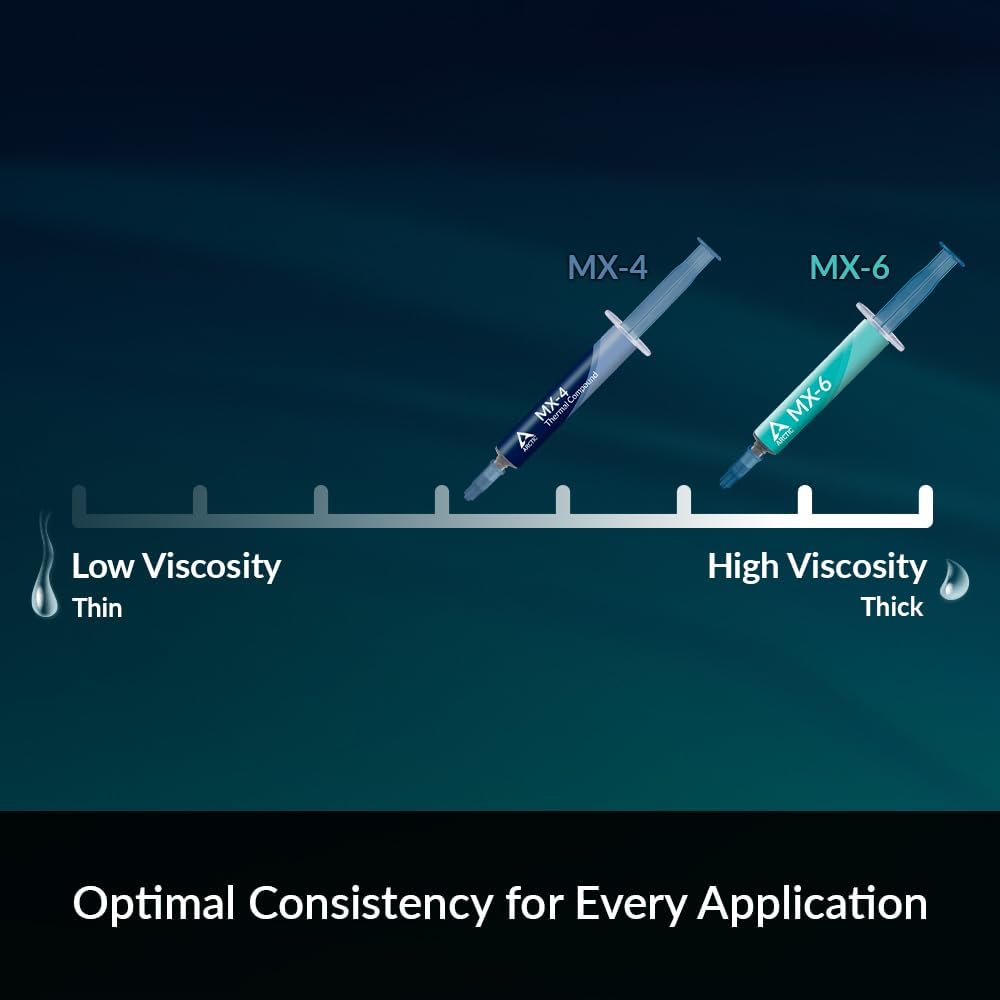
This is the tier most enthusiast-oriented guides call their “best value” pick, and the data backs it up. Across aggregated reviews, Tier 2 compounds land within 1–3°C of the absolute top performers while costing significantly less. Arctic MX-6, which launched to strong benchmark reception, consistently places in reviewers’ top-five rankings despite its modest price. It’s also non-conductive and non-capacitive, which matters if you’re sloppy with application — it won’t short your socket if you over-apply.
Noctua NT-H2 is the other consistent mention in this tier. Tom’s Hardware’s 2025 roundup highlights it as a reliable, long-service-life option that owners report stays stable for years between repastes. For a workstation that runs 24/7, that longevity factor is worth factoring in alongside the thermal numbers.
Tier 3 — High-Performance Silicone-Based ($16–$25)
Examples: Thermal Grizzly Kryonaut, Kingpin Cooling KPx, Dowsil TC-5026.
Kryonaut sits at the top of almost every major published benchmark in this tier. TechPowerUp’s mega-test places it consistently 1–2°C behind the liquid-metal and phase-change leaders while offering safe, electrically non-conductive application. KitGuru’s roundup echoes that result. The practical ceiling for a standard silicone compound lives right here.
One important caveat from Igor’s Lab and Tom’s Hardware both: Kryonaut and similar high-performance pastes can dry out or pump out under sustained temperatures above 80°C. If you’re running an always-on workstation or sustained Prime95 stress at the limits of your CPU’s envelope, you may find yourself repasting every 12–18 months rather than the 3–5 year cadence typical of mid-tier compounds. Thermal Grizzly Kryonaut Extreme (the thicker formulation) partially addresses this by extending the stable-use envelope, and reviewers note it performs within a fraction of a degree of the original.
Tier 4 — Phase-Change and Liquid Metal (> $15–$30+)
Examples: Honeywell PTM7950 (phase-change pad), Thermal Grizzly Conductonaut (liquid metal), Thermal Grizzly Conductonaut Extreme.
This tier requires a separate conversation because the two product types behave completely differently.
Liquid metal (gallium-alloy based compounds like Conductonaut) is genuinely the performance ceiling for CPU-to-cooler interfaces — reviewers at Igor’s Lab and Tom’s Hardware consistently clock it 3–6°C ahead of the best silicone pastes under identical conditions. The tradeoff is significant: liquid metal is electrically conductive and will corrode aluminum, meaning it’s only compatible with copper or nickel-plated cold plates. Application requires masking tape around the die, a steady hand, and comfort with the consequence of a mistake. For a delidded CPU or a direct-die cooler, it’s transformative. For a standard boxed processor on a consumer cooler, it’s high-risk optimization that most builders don’t need.
PTM7950, the 3M phase-change pad that Igor’s Lab has covered extensively, occupies a genuinely different category. It ships as a solid pad, melts into a liquid-like interface at operating temperature, and then re-solidifies on cooling. Igor’s Lab’s long-term evaluation found it performs within 1–2°C of liquid metal on standard interfaces while being significantly safer to apply — no spreading required, no conductivity risk. Reviewers particularly recommend it for laptops, small-form-factor builds with tight die-to-plate tolerances, and any platform where you want a clean, repeatable repaste without the mess. The pad format also makes it the go-to for the “repaste my flagship laptop GPU” crowd.
By the Numbers: Representative Load-Temperature Deltas
The following ranges are synthesized from TechPowerUp’s mega-test, Tom’s Hardware’s 2025 roundup, and KitGuru’s TIM roundup — all tested on high-TDP platforms (125W–253W range). Deltas are relative to the worst-in-class baseline, normalized to the same cooler and platform.
| Tier | Representative Product | Avg. Delta vs. Baseline |
|---|---|---|
| Budget / Box | Generic included paste | 0°C (baseline) |
| Mid-Range | Arctic MX-6, Noctua NT-H2 | −3 to −5°C |
| High-Perf Silicone | Thermal Grizzly Kryonaut | −5 to −7°C |
| Phase-Change | PTM7950 | −6 to −8°C |
| Liquid Metal | TG Conductonaut | −7 to −9°C |
Note: Deltas compress significantly on low-TDP (< 65W) platforms. At 65W, the entire spread top-to-bottom may be only 2–3°C.
Application Quality Beats Compound Choice — Every Time
This is the most underrated point in thermal paste discussions, and the benchmarks consistently confirm it. A poorly spread premium compound will underperform a correctly applied budget compound. For standard desktop IHS (integrated heat spreader) applications, the most validated methods in reviewer consensus are the center-dot and the thin-manual-spread. Avoid using too much: excess paste doesn’t fill gaps better, it just makes cleanup harder and can impede mounting pressure.
Consistently across aggregated reviews, builders who switch from a sloppy center-blob to a thin manual spread — using the same compound — report temperature improvements of 2–4°C. That’s equivalent to moving up one full tier on the paste hierarchy without spending a dollar. Nail the application first; then optimize the compound.
If X, Then Y — Your Decision Framework
You’ve read the hierarchy. Here’s the rule set that follows from it:
If you’re building at stock clocks and your cooler came with name-brand paste: Don’t replace it. Save the $12–$20 for a better cooler or an SSD upgrade. The marginal gain is lost in measurement noise.
If you’re building a mid-range to enthusiast rig and want a confident aftermarket choice: Buy Arctic MX-6 or Noctua NT-H2. You land within 2°C of the performance ceiling at a fraction of the cost, with safe application, long shelf life, and no compatibility worries.
If you’re pushing a 125W+ CPU above its stock power limits or running sustained all-core loads: Thermal Grizzly Kryonaut is worth the step up. The delta is real at this TDP level, and most reviewers place it as the practical performance ceiling for hassle-free application.
If you have a delidded CPU, a copper direct-die cooler, and you’re comfortable with the application risk: Thermal Grizzly Conductonaut delivers the maximum measurable gain. Mask everything, use sparingly, confirm your cold plate is copper or nickel — not aluminum.
If you’re repasting a laptop, a small-form-factor build, or any system where pad-format convenience matters: PTM7950 is the right tool. Igor’s Lab’s evaluation confirms the performance is there; the application simplicity is the differentiator.
If your current paste is more than 3 years old and your temperatures look elevated: Repaste with anything in Tier 2 or above before chasing a new cooler. Degraded or dried-out compound can add 5–10°C all by itself, and a $10 tube solves that faster than any cooler upgrade.
The thermal paste market rewards clear thinking over marketing numbers. Conductivity ratings on the box are self-reported; benchmark deltas in controlled published reviews are the signal worth following. For the vast majority of builders, the MX-6/NT-H2 tier is the rational stopping point. For the overclocker extracting every available degree from a 300W part, Kryonaut or PTM7950 is the defensible move. Liquid metal stays reserved for the minority of builds where maximum headroom is worth the application discipline.
Pick your tier, apply it clean, and move on — your time is better spent optimizing the cooler above the paste than endlessly cycling through compounds chasing the last degree.
Here’s where you can buy the products mentioned — if you click through we may earn a small commission, which doesn’t change our recommendations.