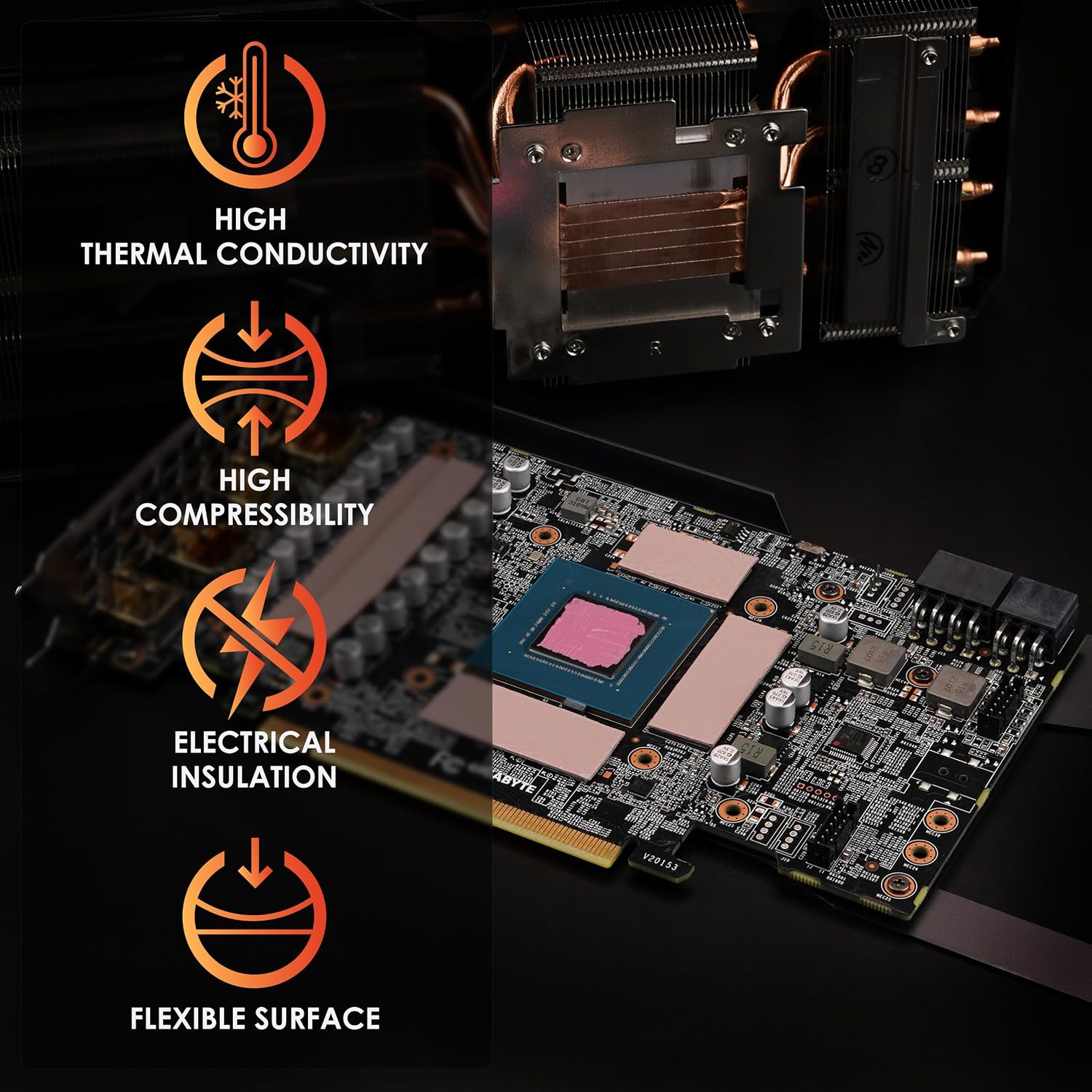
If you’ve ever cracked open a graphics card or a laptop to fix a heat problem, you’ve almost certainly encountered thermal pads — those soft, slightly squishy sheets of material that sit between a chip and a metal heatsink. Unlike thermal paste (the silvery goop used on the main CPU or GPU die), thermal pads fill larger, uneven gaps and cover multiple components at once, such as the memory chips on a graphics card or the voltage-regulator circuits on a laptop motherboard. They’re inexpensive, but picking the wrong thickness or the wrong material is a surprisingly common mistake that leaves measurable performance on the table. This guide is for builders who already understand the basics and want to make smarter, more deliberate choices — whether you’re doing a targeted hotspot fix on an aging GPU, keeping an NVMe SSD from throttling inside an external enclosure, or refreshing a laptop that’s louder than it used to be.
| EDITOR'S PICKThermal Grizzly - PhaseSheet PT… | Mid-tierThermal Grizzly Minus Pad 8-120… | Budget pickARCTIC TP-3: Premium Performanc… | |
|---|---|---|---|
| Size | 50x40mm | 120x20mm | 120x20mm |
| Thickness | — | 1.0mm | 1.0mm |
| Stackable | — | — | ✓ |
| Pieces | — | 2 | 4 |
| Non-conductive | ✓ | ✓ | — |
| Material | Phase change | — | — |
| Price | $10.49 | $9.99 | $8.99 |
| See on Amazon → | See on Amazon → | See on Amazon → |
Why Thermal Pads Are More Nuanced Than They Look
The naive assumption is that any pad rated at, say, 8 W/m·K (watts per meter-kelvin — a measure of how efficiently a material transfers heat) will outperform any pad rated at 6 W/m·K, full stop. In practice, conductivity rating is only one variable among four that actually matter at the component level:
Thickness accuracy. VRAM chips on a modern GPU typically sit between 0.5mm and 2.0mm below the heatsink contact surface, and that gap varies by GPU model and even board revision. A pad that’s 0.3mm too thin won’t make consistent contact; one that’s 0.3mm too thick may apply enough pressure to stress solder joints on the PCB. Tom’s Hardware’s GPU repaste coverage consistently surfaces this as the first user error in failed repastes.
Conformability (softness). A pad needs to deform into surface irregularities. High-conductivity pads made with certain ceramic or graphene compounds can be quite rigid, meaning their rated conductivity is only achieved when contact pressure is essentially perfect.
Electrical conductivity. Most thermal pads are electrically non-conductive and safe to use anywhere, including directly over PCB traces. A small number, particularly older graphite-based products, are conductive in-plane. Misidentifying these can short pads of SMD components adjacent to the target chip — a recoverable but frustrating mistake.
Phase-change vs. silicone-matrix behavior. Standard silicone-matrix pads stay soft and compliant at all temperatures. Phase-change pads liquefy slightly at operating temperature, flowing into surface irregularities for better contact — but they behave differently during installation.
The Hotspot-Only Strategy: Mixing Pads Deliberately
One of the most useful patterns in aggregated owner reviews is the deliberate mixed-pad approach. Owners repasting higher-end Ampere-generation NVIDIA cards — the EVGA RTX 2080 Super being a frequently cited example — report using a premium high-conductivity pad such as Thermal Grizzly Minus Pad 8 exclusively on the VRAM dies with the highest sustained temperatures, while covering secondary components (inductors, MOSFETs, power delivery circuitry) with a budget alternative. The logic is sound: Minus Pad 8, rated at 8 W/m·K and priced accordingly, delivers measurable gains where the thermal delta is largest. Spreading it across 20 components on a large PCB inflates your cost without proportional return.
By the numbers: On a full-coverage GPU repaste, the VRAM die count typically ranges from 8 (8GB cards) to 16 (16–24GB cards). Covering all dies with a premium pad like Minus Pad 8 at $15–$20 per sheet versus covering only the four hottest dies while using a $5–$8 budget pad elsewhere is a meaningful cost difference when pads are often replaced annually or semi-annually by active overclockers.
One critical note on Minus Pad 8: across published product specs and owner reviews aggregated from verified purchaser communities, Thermal Grizzly’s documentation confirms Minus Pad 8 is electrically non-conductive. It does not require Kapton tape barriers when it touches PCB traces or component pads. This is a genuine point of confusion because its visual appearance resembles some conductive graphene products — addressing it up front saves a cautious builder an unnecessary extra step.
Arctic TP-3 and the MSI 3080 X Trio Case
Arctic TP-3 has become a go-to recommendation in the intermediate builder community not because it tops conductivity charts (it’s rated at 6.0 W/m·K, respectable but not record-breaking), but because owners report unusually consistent real-world results relative to cost. The most instructive documented case involves an MSI RTX 3080 Gaming X Trio repaste where the owner compared TP-3 head-to-head against the Gelid GP-Extreme kit under the same heatsink with the same contact pressure. Across that comparison, TP-3 outperformed the Gelid kit on VRAM temperatures while costing less — a result that TechPowerUp’s thermal testing methodology notes would be consistent with TP-3’s softer matrix, which allows better conformability at the moderate contact pressures most consumer coolers apply.
The second owner anecdote worth surfacing: a MacBook application where TP-3’s 120×20mm strip format covered a target area without a single cut. Anyone who has worked on Apple laptops with irregular heatsink contact patterns knows that cutting thermal pads cleanly is itself a skill — so zero-cut scenarios aren’t trivial. When the geometry aligns, it’s a genuine time-saver.
PhaseSheet PTM: What Owners Get Right (and Wrong) at Install
Phase-change thermal interface materials — where PTM stands for Phase Transfer Material — are genuinely different in feel from silicone pads, and most buyer confusion happens at the install step rather than during operation. Igor’s Lab’s phase-change TIM analysis notes that the material is designed to be semi-rigid at room temperature, transitioning to a conforming near-liquid state at operating temperature (typically above 45–52°C). The challenge: at room temperature, PhaseSheet PTM can stretch, deform, or tear if you try to cut it with scissors at ambient conditions.
The fix that owners consistently describe is simple and reliable: place the sheet in a refrigerator (not a freezer) for 10–15 minutes before cutting. At ~5°C, the material firms up to a rubber-like consistency that cuts cleanly with a sharp blade and a metal ruler. Freezer temperatures make it brittle and prone to cracking; refrigerator temperatures hit the sweet spot. This isn’t a workaround — it’s effectively the correct installation procedure for clean trimming.
Two other properties worth naming explicitly because they generate recurring buyer questions:
- PhaseSheet PTM is electrically non-conductive. Unlike graphene pad products, it carries no risk of shorting adjacent PCB traces or pads. No Kapton tape required.
- PhaseSheet PTM does work on desktop CPUs, not only laptops. Igor’s Lab coverage and owner reports from AM5 and LGA1851 platform builds confirm successful application on high-TDP desktop processors, with the caveat that IHS (integrated heat spreader) surface preparation matters more with phase-change materials than with paste — any contamination on the IHS surface leaves a gap the material cannot fully compensate for.
NVMe SSDs in Enclosures: The Mechanical Role Pads Play
This is the use case most guides overlook entirely. An NVMe SSD mounted in a USB or Thunderbolt enclosure for portable storage faces two problems: thermal throttling during sustained transfers, and mechanical looseness. KitGuru’s NVMe SSD thermal throttle investigation demonstrates that uncooled SSDs in compact enclosures can drop read speeds by 30–60% within 60 seconds of sustained sequential writes as the controller hits its temperature ceiling.
What’s underappreciated: thermal pads in enclosures also serve a mechanical function. A thicker pad applies spring pressure against the enclosure’s heatsink shell, holding the M.2 card firmly seated even if the retention screw applies uneven force. One documented owner case involves a WD SATA M.2 drive in an external enclosure where applying pads to both the top and bottom of the card not only improved thermal transfer to the shell but corrected a fit problem — the card had slight play in its slot, and the pad thickness on the underside brought it into flush contact with the shell on the top side. The drive’s operating temperature dropped meaningfully and the retention screw stopped backing out under vibration. That’s a $4 pad solving two problems simultaneously.
Recommended thickness for most 2280 M.2 enclosures is 1.0–1.5mm on the controller/NAND side; check your enclosure’s internal gap dimension before ordering.
Laptop VRMs: Replace Pads When You Repaste — With Caveats
The prevailing advice in laptop repair communities is to replace thermal pads every time you replace the CPU die paste. HardwareLuxx’s repasting guides for consumer laptops note this is usually correct but deserves a qualifier: pad replacement matters most when the original pads have compressed beyond their design tolerance, leaving the heatsink plate tilted or unevenly loaded. A pad that started at 1.5mm and has cold-flowed down to 0.9mm under years of clamping force is no longer making even contact.
The countercase: if the original pads are still soft and dimensionally close to spec, replacing them with a thinner or softer aftermarket pad can actually worsen heatsink seating on the die. Measure first. A set of feeler gauges (or careful measurement of the removed pad with digital calipers) tells you target thickness before you order replacements.
Also worth stating plainly: laptop VRM pads and VRAM pads on a GPU typically don’t need to match the die’s thermal demand. VRMs run warmer than ideal when their pad is degraded, but they’re also more tolerant of moderate contact quality than the main compute die. Prioritize die contact first; VRM and memory pad replacement is valuable but secondary.
Frequently Asked Questions
How do I measure the correct thermal pad thickness for my GPU’s VRAM chips? Remove the heatsink and measure the gap between the top of the bare VRAM die and the heatsink contact surface using digital calipers or feeler gauges. Cross-reference with community teardown documentation on TechPowerUp’s GPU database — many cards have documented factory pad thicknesses. When in doubt, go 0.5mm thicker than your measured gap; a compliant pad compresses, but a too-thin pad leaves an air gap.
Can I stack two 1.0mm Arctic TP-3 pads instead of buying a 2.0mm pad? Technically you can, but the interface between the two pads introduces a measurable thermal resistance. Published thermal interface testing consistently shows stacked pads underperform a single pad of equivalent total thickness. Order the correct thickness; stacking is a last-resort option, not a cost-saving strategy.
Is Thermal Grizzly Minus Pad 8 electrically conductive — can it touch PCB traces? No. Per Thermal Grizzly’s published product specifications, Minus Pad 8 is electrically non-conductive and safe to contact PCB traces and SMD component pads. No Kapton tape barrier is required.
Does the PhaseSheet PTM work on desktop CPUs or only laptops? It works on both. Owner reports and Igor’s Lab coverage confirm successful desktop CPU application. Surface prep (clean, dry, contamination-free IHS) matters more with phase-change materials than with paste.
How do I cut the PhaseSheet PTM cleanly without it stretching or tearing? Refrigerate the sheet (not freeze it) for 10–15 minutes before cutting. At refrigerator temperature, the material firms to a rubber-like consistency that cuts cleanly with a sharp craft knife and metal straightedge.
Should I replace thermal pads every time I repaste the CPU die on a laptop? Measure before you replace. If original pads have compressed significantly (measure with calipers), replace them. If they’re dimensionally intact and still soft, replacing with thinner aftermarket pads may worsen heatsink seating. Die repaste is the priority; pad replacement is high-value but conditional on actual degradation.
The Decision Rule
If you’re doing a targeted GPU VRAM repair on a high-heat card: use Thermal Grizzly Minus Pad 8 on the hottest dies, a budget-tier pad elsewhere, and measure your gap before ordering.
If you’re doing a full-coverage repaste on a mid-range card at cost-conscious budget: Arctic TP-3 is the defensible default — owners’ aggregated results consistently validate it above its price point.
If you’re working on a laptop where clean cutting is a constraint: PhaseSheet PTM with the refrigerator prep step, confirmed non-conductive, no Kapton needed.
If you’re cooling an M.2 in an enclosure: don’t overlook the mechanical contact role — pad thickness affects fit, not just temperature.
Here’s where you can find each of these products by name through major retailers — if you click through from this site we may earn a small commission, and it doesn’t change which products we’d point you toward.