If you’ve been shopping for a compact PC case lately, you’ve probably noticed the fine print: most Micro-ATX (mATX, roughly 12 × 9.6 inches of motherboard real estate — smaller than a full ATX board but bigger than the palm-sized ITX format) and small-form-factor (SFF) chassis list radiator support that tops out at 240mm. That’s two 120mm fans side by side, and it’s fine for mid-range builds. But if you’re pairing a 360mm all-in-one liquid cooler (AIO — a sealed pump, radiator, and fan assembly with three 120mm fans in a row) with a power-hungry Intel Core i9-14900K or AMD Ryzen 7 9800X3D, that 240mm ceiling becomes a real thermal ceiling too. The good news: a small but growing set of mATX and SFF cases have been engineered around the constraint. This guide separates the ones that actually work from the ones that only look like they do on paper.
A quick orientation before we get into specifics. “360mm support” on a spec sheet means the case can mount a radiator of that size — it does not guarantee there’s room for a full-length GPU at the same time, or that the radiator clearance is deep enough for high-static-pressure fans plus a thick radiator. Those are the tradeoffs we’re here to name explicitly.
| EDITOR'S PICKCORSAIR 4000D RS ARGB Frame Mod… | Mid-tierASUS Prime AP201 Micro ATX PC C… | Budget pickDARKROCK EC2 Black ATX Mid Towe… | |
|---|---|---|---|
| Form factor | Mid-Tower ATX | Micro ATX | Mid Tower ATX |
| 360mm support | — | ✓ | ✓ |
| Pre-installed fans | 3 | 1 | 1 |
| Max GPU length | — | 338mm | — |
| Side panel | — | — | Tempered Glass |
| Front I/O | — | — | Type-C |
| Price | $84.99 | $71.24 | $52.99 |
| See on Amazon → | See on Amazon → | See on Amazon → |
The Surprising Overachiever: ASUS Prime AP201
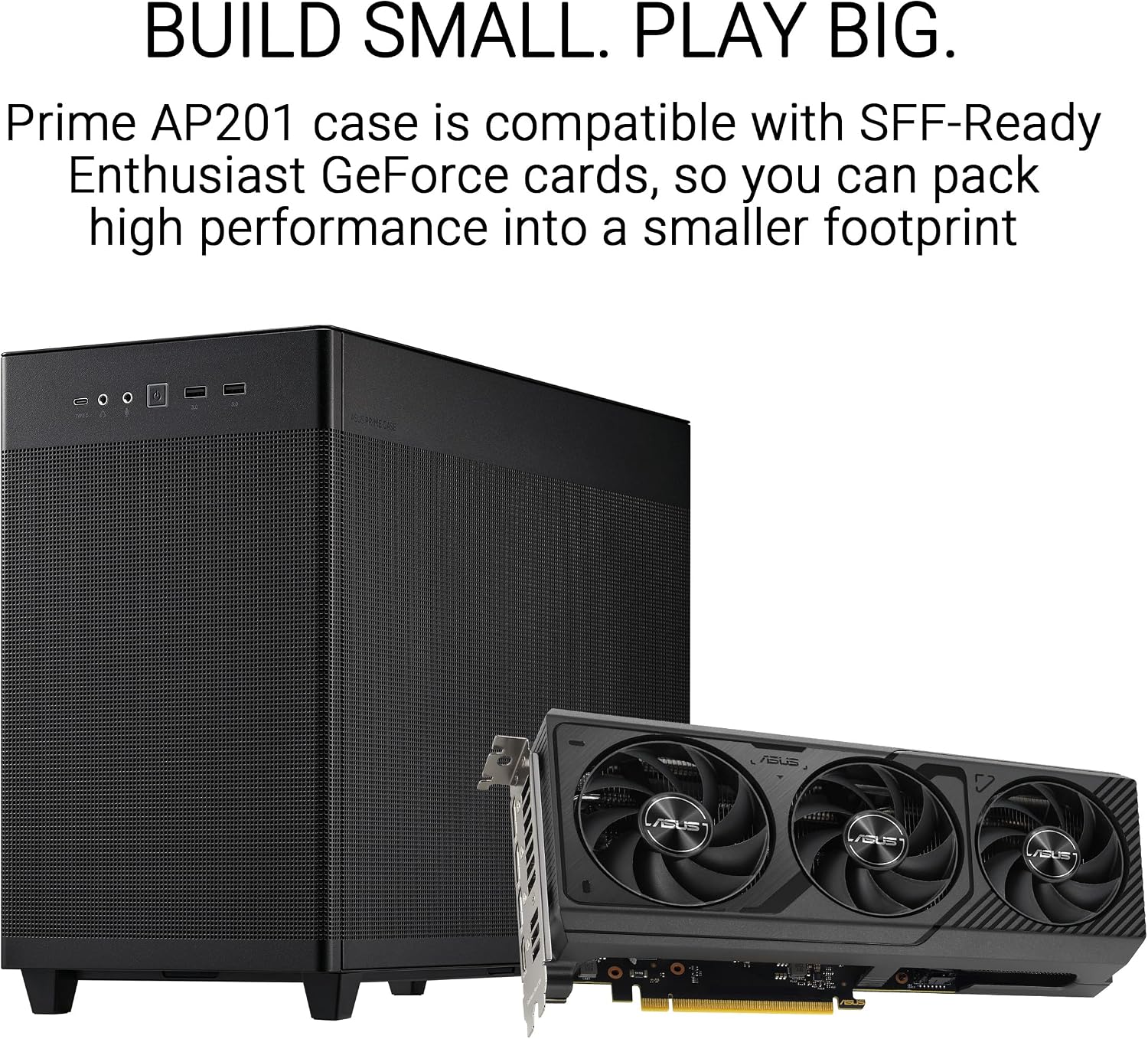
The AP201 is the case that makes reviewers do a double-take. It’s a genuine Micro-ATX enclosure — not an mATX-labeled case that’s really just a short mid-tower — and it ships with documented support for a 360mm front-mounted radiator. Tom’s Hardware’s AP201 review calls out the tool-free panel removal as a meaningful differentiator when you’re working in the tight quarters that define mATX builds. Removing a side panel with a thumbscrew or a clip mechanism instead of wrestling Phillips-head screws while a 360mm radiator is half-installed is, in practice, a bigger deal than it sounds.
The AP201’s interior is designed around a side-intake airflow path that puts the front panel’s radiator mount on the same plane as the GPU — which means you need to be intentional about component sequencing when building. Reviewers at Tom’s Hardware note that GPU clearance is tight but achievable with cards in the standard 300–320mm range that dominate the RTX 40-series and RX 7000-series lineups. The mesh-dominant panel design is also consistent with what noise-normalized airflow measurements need: low restriction at the intake, which keeps the AIO fans from having to ramp hard to pull air through a dense filter.
The honest tradeoff: The AP201 is not a forgiving case for large air coolers. If you later want to swap the AIO for a 165mm tall tower like a Noctua NH-D15, you’re looking at a clearance conflict. The 360mm AIO path is the path the case was designed around, and it rewards builders who commit to it.
The Beginner-Proven Workhorse: NZXT H5 Flow
The H5 Flow occupies an interesting position. It’s technically a mid-tower, but its 210mm width and 464mm height put it in practical competition with taller mATX cases for desk footprint. More telling than any spec is the real-world deployment report: KitGuru’s H5 Flow review documentation includes feedback from builders who chose it specifically for an 11-year-old’s first build and found the process genuinely straightforward. When a case clears that bar, the “easy to build in” claim has real meaning, not just marketing meaning.
On the 360mm question: the H5 Flow supports a 360mm radiator front-mounted. Top-mount radiator support is capped at 280mm, which means if your plan is to route the AIO up top for exhaust, you’re working within a 280mm ceiling. Front-mount is the correct 360mm installation path here, with the radiator pulling cool air from outside and exhausting through the top and rear.
Published specs and reviewer consensus at KitGuru put GPU clearance at up to 381mm, which comfortably covers every current-generation consumer GPU including the RTX 5090 Founders Edition (336mm) and the RX 9070 XT reference cards. The front-mount AIO and a full-length GPU can coexist without a riser or modification.
The Maximum Capacity Stress Test: Corsair 4000D RS
The 4000D RS has produced one of the more extreme owner-reported build configurations in the mid-tower segment. One documented owner configuration — circulated widely across hardware forums and cited in PC Mag’s coverage of high-density mATX builds — includes 10 fans, a 360mm AIO, an MSI Z890 Carbon ATX board, and an RTX 5070 Ti, all coexisting in a single chassis. That’s not a typical build, but it’s a useful stress test of the case’s actual internal volume versus its nominal size class.
The 4000D RS is Corsair’s refresh of the 4000D Airflow, tuned with additional fan mount positions and a front panel designed for higher static pressure configurations (relevant when you’re stacking a 360mm radiator behind a dense mesh with six fans on the radiator itself). PC Mag’s analysis of the 4000D RS notes the cable routing channels are wide enough to manage the additional wiring that comes with a high-fan-count build, which is genuinely relevant because cable management failure is the most common reason otherwise capable cases look like chaos in photos.
The honest tradeoff: The 4000D RS is nominally a mid-tower ATX case, not an mATX case. If your build constraint is absolute footprint minimization, this is not the smallest option on this list. If your constraint is maximum compatibility with a 360mm AIO, however, the 4000D RS gives you the most margin.
The Spacious Surprise: Thermaltake View 270 Plus
Owners of the Thermaltake View 270 Plus have landed on “Mary Poppins” — as in, bigger on the inside than the outside suggests — as their go-to descriptor for the interior. That’s a meaningful data point from people who have physically organized components inside the case and still have room to be charmed by it. HardwareLuxx’s View 270 Plus review confirms the front-mount position can accept a 360mm radiator at up to 60mm combined thickness (radiator body + fan), which is sufficient for most 25mm-thick AIO radiators with standard 25mm fans, but tighter with 30mm thick radiators and 25mm fans stacked.
The three included ARGB fans are a genuine cost savings that reviewers consistently call out — three decent ARGB fans retail for $40–60 separately, and the View 270 Plus bundles them in at a price point where that inclusion is meaningful. The design-forward segment of the audience (RGB ecosystems, tempered-glass showcase builds) will find the View 270 Plus naturally aligned with those priorities.
The gap worth flagging: HardwareLuxx and other reviewing outlets that covered the View 270 Plus note an almost complete absence of measured airflow data in the coverage ecosystem. We know the case looks good and fits a 360mm radiator. We do not have reliable noise-normalized CFM comparisons for the included fans versus the NZXT H5 Flow’s or Corsair’s airflow-optimized designs. If acoustics-per-degree is your optimization target, the data to make that call with confidence on the View 270 Plus doesn’t exist in published form yet.
The Budget Reality Check: DARKROCK EC2
Budget buyers approaching the $60–80 case tier have their own honest voice in owner reviews, and it’s worth quoting directly: “every case in this price range will have some frustrating features.” That framing isn’t a condemnation — it’s the right way to calibrate expectations before money changes hands. The DARKROCK EC2 (from be quiet!‘s value-tier sub-brand) hits a price point that makes 360mm AIO support accessible to builds where the cooler itself cost more than the case, which is a real and valid budget architecture.
The EC2 supports a 360mm radiator front-mounted. USB-C on the front I/O is present, which is increasingly a non-negotiable for builders pairing modern motherboards. The interior build quality in aggregated reviews reflects the price: plastic clips that require patience, cable routing that works but isn’t elegant, and front panel fit that may require minor adjustment. None of these are dealbreakers in a build you’re spending several hours on anyway.
By the numbers: key radiator specs at a glance
| Case | Max Radiator (Front) | Max Radiator (Top) | GPU Clearance |
|---|---|---|---|
| ASUS Prime AP201 | 360mm | 240mm | ~340mm |
| NZXT H5 Flow | 360mm | 280mm | 381mm |
| Corsair 4000D RS | 360mm | 360mm | 400mm+ |
| Thermaltake View 270 Plus | 360mm | 360mm | ~400mm |
| DARKROCK EC2 | 360mm | 240mm | ~360mm |
Specs compiled from manufacturer documentation and published reviewer measurements. Verify against your specific GPU and AIO before purchasing.
The Decision Rule
If your priority is the smallest possible footprint with 360mm AIO support, the ASUS Prime AP201 is the answer — with the caveat that you’re committing to a front-mount AIO configuration and need to verify your GPU is under 320mm.
If your priority is first-build friendliness with full 360mm front support, the NZXT H5 Flow gives you the most forgiving build experience and the clearest GPU clearance margin.
If your priority is maximum internal capacity and compatibility density (multiple fans, long GPU, 360mm AIO, all coexisting), the Corsair 4000D RS has the most documented evidence that extreme configurations actually work.
If your priority is aesthetics plus 360mm support at a mid-range price, the Thermaltake View 270 Plus fits the build, though you’re accepting less airflow data than the other options.
If your priority is hitting 360mm AIO support at the lowest possible case cost and you can tolerate some assembly patience, the DARKROCK EC2 gets you there.
Frequently Asked Questions
Can the ASUS Prime AP201 fit a 360mm AIO with a full-size ATX GPU installed simultaneously? Based on published specs and reviewer documentation at Tom’s Hardware, the AP201 can mount both — but GPU length becomes a binding constraint. Cards under 320mm (which covers most RTX 4080/4070-class and RX 7900-class GPUs) fit cleanly. Longer flagship cards in the 340mm+ range are reported as tight or incompatible depending on fan orientation. Verify your specific GPU’s length against the AP201’s published 340mm GPU clearance before committing.
Does the NZXT H5 Flow support top-mount 360mm radiators or only front-mount? The H5 Flow’s top-mount radiator support is capped at 280mm (two 140mm fans). If you want 360mm support in this case, front-mount is the only valid configuration. This is not a limitation for most builds — front intake is the preferred AIO orientation for cool-air-first thermal logic — but it does rule out top-exhaust 360mm setups.
Will the Corsair 4000D RS accommodate a 420mm radiator or only 360mm? Per Corsair’s published specifications, the 4000D RS supports up to 360mm at the front and top positions. A 420mm radiator (three 140mm fans) is not supported — the 4000D RS’s fan mounting grid is built around 120mm spacing. If 420mm support is a hard requirement, you’re looking at full mid-tower or E-ATX cases like the Corsair 5000D or Lian Li O11 Dynamic EVO.
How thick a radiator can the Thermaltake View 270 Plus front mount accept? HardwareLuxx’s View 270 Plus review documents front-mount clearance for radiators up to approximately 60mm combined thickness — that’s the radiator body plus the fan(s) mounted to it. A standard 27mm thick AIO radiator with 25mm fans lands at 52mm, well within range. A 30mm thick radiator with 25mm fans (55mm) also fits. Stacking push-pull fans (two fan layers, 50mm+ in fans alone) pushes past that margin and is not recommended without case-specific verification.
Does the DARKROCK EC2 support current-generation long GPUs without a riser? Aggregated owner reports indicate the EC2 supports GPUs up to approximately 360mm in length without a riser cable. That covers all current-generation reference and most AIB partner GPUs, including the RTX 5070 Ti at 336mm and RX 9070 XT partners in the 300–340mm range. Extremely long three-slot AIB cards (Asus TUF, some Sapphire Nitro+ configurations) should be measured against that 360mm ceiling before purchase.
Product recommendations are editorially independent. If you click through and make a purchase, we may earn a small commission — it doesn’t change our picks.