Building a small PC — one that uses a Micro-ATX (mATX) or Mini-ITX motherboard and a compact case to match — is one of the most satisfying projects in the hobby. The board formats are literally smaller than a standard ATX board: Mini-ITX measures roughly 17 × 17 cm and mATX tops out around 24 × 24 cm, versus the full-size 30 × 24 cm ATX. Smaller boards mean smaller cases, which is great for a desk or a media cabinet but historically brutal for thermals — the science of keeping your CPU and GPU cool enough to run reliably and at full speed. Heat is the enemy of performance: a processor that gets too hot will automatically slow itself down (a self-protective mechanism called thermal throttling) rather than damage itself. This guide exists because the conventional wisdom that “small cases always run hot” has become outdated. Modern case design and a new generation of coolers have closed the gap — if you pick the right hardware and pair it correctly. Below, we’ll walk through the tradeoffs, name the products worth your attention, and give you a clear decision rule at the end.
Why Compact Cases Make Cooling Harder (and How Modern Design Fights Back)
The physics are straightforward: heat moves from your processor into a cooler (either a metal heatsink with a fan, or a liquid loop), and that heat ultimately has to exit the case. In a full-tower ATX build with 280mm of clearance above the motherboard and six fan slots, you have room to establish a generous pressure differential — more air flowing in than out, or vice versa — and cool air has a long, unobstructed path past hot components before it leaves. In a Mini-ITX sandwich case or a compact mATX enclosure, that path is compressed. Fan noise rises, hot air recirculates, and GPU exhaust can wrap back into the CPU intake.
The good news is that case manufacturers have responded. Perforated mesh front panels, tighter internal layouts with dedicated GPU intake zones, and taller PCIe riser configurations have dramatically improved the achievable thermals in small cases. Reviewers at Tom’s Hardware and Hexus have both noted in recent case roundups that a well-specced compact mATX build can finish within 3–5°C of a full-size build on the same CPU — provided you don’t fight the case’s intended airflow direction with a mismatched cooler.
The decision you’re actually making isn’t “should I use a small case or a big one.” You’ve already picked small. The decision is: which combination of case, CPU cooler, and fan layout gives you the best sustained thermals without generating a jet-engine noise floor?
The Cases Worth Building Around
ASUS Prime AP201 — The mATX Overachiever
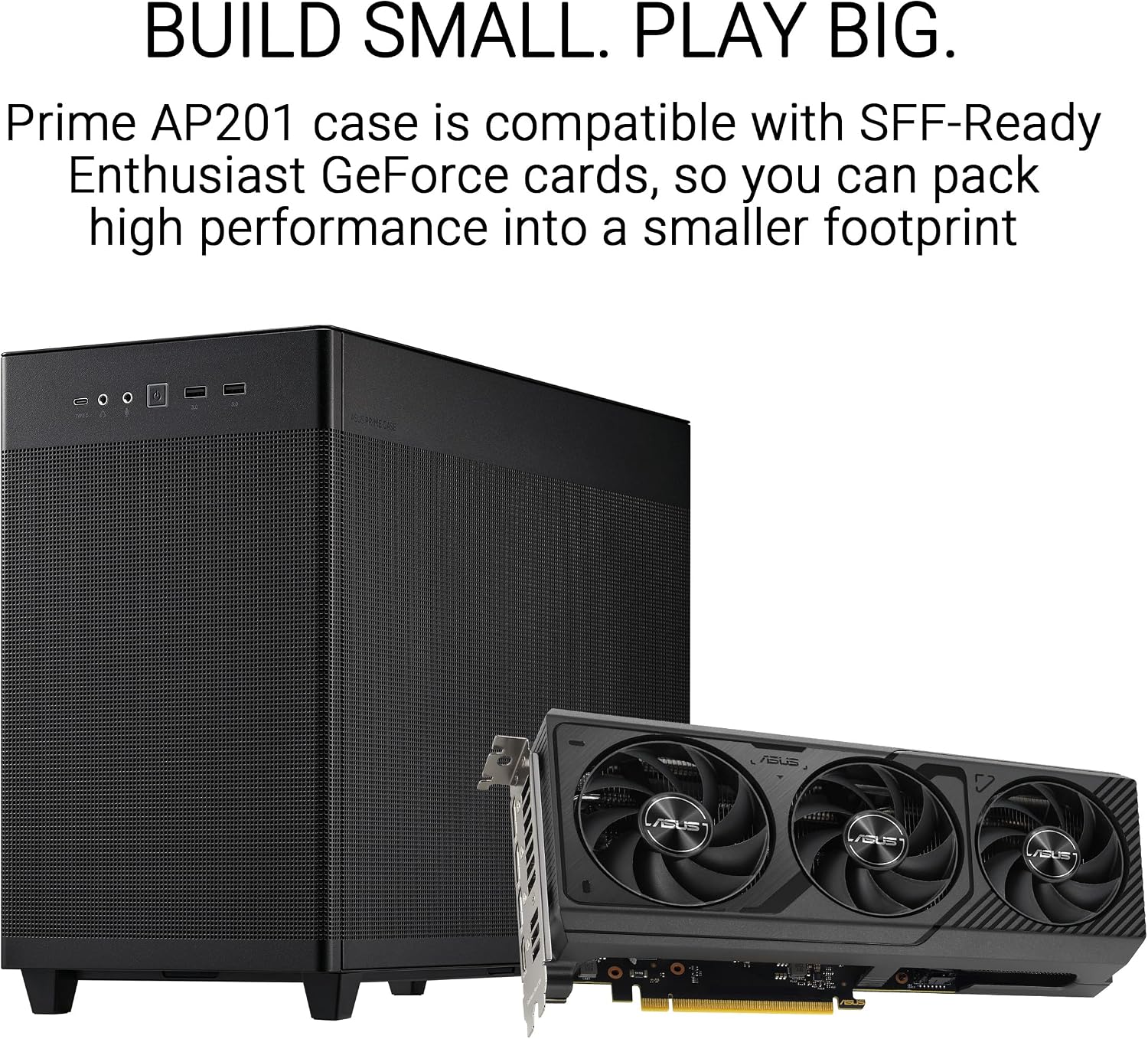
The ASUS Prime AP201 is the case that keeps surprising people who assume mATX means compromise. The exterior is compact — roughly 35 liters internal volume — but the internal geometry is engineered for maximum hardware compatibility. Tom’s Hardware’s AP201 review confirmed it supports a 360mm radiator (three 120mm fans in a row) at the top, which is genuinely unusual at this case size. One owner documented installing an Arctic Liquid Freezer III 360 and noted the VRM fan — a small auxiliary fan on the pump head that Arctic includes to cool motherboard voltage regulators — fit “beautifully” without clearance conflicts.
That matters for this audience. A 360mm AIO in a compact mATX box gives you flagship-tier thermal headroom for an Intel Core i9-14900K or a Ryzen 9 7950X running sustained workloads, without paying for a full-tower chassis. The AP201 uses a mesh top panel and a tempered glass side, so airflow isn’t artificially restricted by the case itself. Dust filtration is present on intake surfaces, which keeps maintenance intervals reasonable.
Where it asks for care: the front I/O panel is minimal (USB-A, USB-C, no card reader), and the cable management routing is tight. If you’re installing a 360mm radiator plus a full-size GPU plus a modular PSU, budget an extra 30–45 minutes for routing.
NZXT H5 Flow 2024 — The Beginner-Proven, Benchmark-Ready mATX Layout
The NZXT H5 Flow (2024 revision) sits in a different part of the mATX spectrum: it’s slightly larger, more forgiving on clearances, and its mesh front panel is consistently praised by owners for both airflow and the quality of the dust filtration. Hexus’s review of the H5 Flow noted the front panel contributes meaningfully to reduced dust accumulation versus a solid-panel competitor without requiring the owner to clean filters every two weeks.
One owner documented using the H5 Flow as the platform for an 11-year-old’s first build — and that detail is actually technically meaningful, not just endearing. A case layout that a first-time builder can navigate without frustration has labeled standoffs, logical cable routing channels, and sufficient clearances that you’re not cursing at a RAM slot that’s blocked by a radiator fan. All of those properties also make the H5 Flow excellent for your second or third build, when you want to rebuild quickly for an upgrade cycle.
Airflow-wise, the H5 Flow’s front mesh supports two 140mm intake fans (included) and the top can accept a 240mm or 280mm radiator. You won’t fit a 360mm here, but a 280mm AIO with 140mm fans tends to outperform a 240mm AIO at equivalent noise levels — a point reviewers at KitGuru’s low-profile cooler roundup have made repeatedly when discussing surface-area versus fan-speed tradeoffs.
The Coolers: Matching TDP to Geometry
Arctic Liquid Freezer III Pro 240 — High Performance with One Honest Warning
Arctic’s Liquid Freezer series has earned a reputation for strong noise-normalized performance at a price point that undercuts most competitors with equivalent thermals. The Liquid Freezer III Pro 240 (the Pro line uses higher-static-pressure fans than the base III) fits the AP201 and H5 Flow top mounts cleanly. Hardware Luxx’s overview of the Liquid Freezer III series confirms the pump head integrates a small VRM-directed fan — that’s the feature AP201 owners are specifically praising in reviews.
One honest flag: multiple owners of the Liquid Freezer III Pro 240 have noted that the installation instructions are thin and the accompanying video guide can be confusing, particularly around the AM5 mounting bracket. If you’re doing your first AIO install in a tight case, download Arctic’s PDF guide from their support page before you start, and watch the installation sequence with the radiator removed from the box so you can follow along with the hardware in hand. This is a solvable friction point, not a disqualifying one — but in a compact case where you can’t easily reposition a mis-routed tube, instruction confusion costs more time than it would in a full tower.
Thermalright Aqua Elite 120 V3 — The Reliable Single-Fan AIO for Constrained Spaces
Not every compact build needs a 240mm or 360mm radiator. If your CPU is a mid-range Ryzen 5 7600 or an Intel Core i5-13600K, and your case is a particularly tight Mini-ITX format, a single 120mm AIO can be the right call — and the Thermalright Aqua Elite 120 V3 is the one worth buying in that bracket. One owner documented using it as a stopgap while their primary AIO was under warranty repair; the fact that it held temperatures without drama in a secondary role speaks to its reliability baseline. Published specs put the pump head at a slim profile compatible with the tight clearances common in sandwich-style ITX cases.
ID-COOLING IS-55 Black — The Low-Profile Air Cooler That Earns Its Reputation
For Mini-ITX builds where an AIO isn’t feasible — either because the case doesn’t support a radiator, or because you want zero pump failure risk in a long-running workstation — the ID-COOLING IS-55 Black is the benchmark pick. KitGuru’s low-profile cooler roundup consistently places 47mm-and-under air coolers as sufficient for 65W–95W CPUs; the IS-55 sits at 55mm height (slim enough for most ITX cases with 6mm of margin above standard slot covers) and uses a five-heatpipe design that extracts notably more heat than its height suggests.
The use case that this audience should pay attention to: one owner running local AI inference workloads — GPU-compute tasks that also stress the CPU with sustained data pre-processing — on an HP Omen desktop documented a drop from 90°C+ to manageable operating temps after swapping in the IS-55 Black. Another confirmed it fits alongside a 3080 in a Mini-ITX sandwich case without clearance conflicts. Both are exactly the kind of real-world data points that benchmark charts miss.
By the Numbers: Compact Cooling Quick Reference
| Scenario | Recommended Cooler | Radiator/Heatsink Size | Case Example |
|---|---|---|---|
| mATX, 105–170W TDP, max headroom | Arctic Liquid Freezer III Pro 240 | 240mm AIO | ASUS Prime AP201, NZXT H5 Flow |
| mATX, full-tower thermals in small box | Arctic Liquid Freezer III 360 | 360mm AIO | ASUS Prime AP201 only |
| ITX, 65–95W TDP, reliability-first | ID-COOLING IS-55 Black | 55mm air | Sandwich ITX cases |
| Any compact, stopgap or secondary | Thermalright Aqua Elite 120 V3 | 120mm AIO | Wide compatibility |
Frequently Asked Questions
Can the ASUS Prime AP201 actually fit a 360mm radiator without modifications?
Yes — no modifications needed. The AP201’s top mount accommodates a 360mm radiator (three 120mm fan positions) natively. Tom’s Hardware’s AP201 review and owner reports confirm this is a supported configuration, not a squeeze fit. You will want to verify your specific AIO tube length is sufficient for the top-mount routing before buying, but the case itself is not the limiting factor.
Is a low-profile air cooler like the ID-COOLING IS-55 sufficient for a Ryzen 5 or i5 under gaming loads?
For a Ryzen 5 7600 (65W base TDP, peaks to 88W) or an Intel Core i5-13600K (125W PL1), the IS-55 Black is adequate under typical gaming loads — which are bursty, not sustained. It’s when you push into sustained 100%+ CPU workloads like video encoding, compilation, or AI inference that a 55mm air cooler approaches its limits. KitGuru’s low-profile roundup places this class of cooler confidently in the “gaming and productivity” tier, with a caveat for extreme sustained workloads.
Does the 38mm radiator thickness on the Arctic Liquid Freezer III cause fitment problems in compact cases?
The Arctic Liquid Freezer III series uses a thicker-than-average radiator (38mm versus the 27mm industry standard) to improve thermal capacity. This does create clearance issues in some cases with tight top-mount tolerances. The ASUS Prime AP201 and NZXT H5 Flow both accommodate it. Before buying, check your specific case’s “radiator thickness clearance” spec — case manufacturers increasingly list this explicitly because of the Freezer III’s popularity.
How many case fans do I actually need in a Micro-ATX build for adequate airflow?
Two to three fans covers the vast majority of mATX builds: two front intakes and one rear exhaust is the baseline. If you’re running a discrete GPU with a high TDP (a 4070 Super or above), a third intake or a top exhaust fan helps move GPU heat out faster. The NZXT H5 Flow ships with two 140mm front intakes, which is a reasonable default starting point; add a rear 120mm exhaust and you have a complete, balanced setup.
Does a small case inherently mean higher CPU and GPU temps?
Not inherently — but it requires more deliberate component matching. PCMag’s best Mini-ITX cases overview and Tom’s Hardware both note that modern mesh-front compact cases, paired with appropriate coolers, can achieve thermals within 5°C of larger enclosures on the same hardware. The cases that still run hot are the ones with solid front panels, restricted intake paths, or legacy designs that predate the mesh-front revolution. If you pick from the cases in this guide and match the cooler to your CPU’s TDP envelope, the size penalty is minimal.
The Decision Rule
Here’s where the tradeoffs land into a clean framework:
- If you’re building in the AP201 with a 105W+ CPU and want maximum headroom — run a 360mm AIO top-mounted and budget for the install time. The Arctic Liquid Freezer III 360 is the natural fit.
- If you want a more forgiving mATX layout that’s easy to build in and easy to clean — the NZXT H5 Flow with a 240mm or 280mm AIO is the lower-friction path.
- If you’re in a Mini-ITX sandwich case or running a sustained-compute workload on a 65–95W CPU — the ID-COOLING IS-55 Black gives you the best thermals that don’t require a pump, a reservoir, or any tubes.
- If you need a compact, bulletproof secondary or stopgap AIO — the Thermalright Aqua Elite 120 V3 is the name to keep on the short list.
Small cases reward preparation more than any other build format. Check your clearances before you buy, respect the airflow direction the case was designed for, and the “small equals hot” tradeoff mostly disappears.