If you’ve ever replaced the gray paste between your CPU and its cooler, you already understand the basic idea: the thermal interface material (TIM) — that thin layer sandwiched between your processor’s heat-spreading lid and your cooler’s copper base — is the single bottleneck between hot silicon and cool metal. Better TIM means heat escapes faster, which means lower peak temperatures, quieter fans, and more thermal headroom for overclocking. For years, premium pastes like Thermal Grizzly Kryonaut defined the ceiling. But three newer material categories are now pushing past it: graphene pads (solid sheets of carbon that conduct heat exceptionally well), phase-change pads (materials that melt slightly under heat to fill microscopic gaps, then re-solidify), and liquid metal (gallium-alloy compounds with thermal conductivity so high it makes paste look primitive). This article breaks down how each technology works, what real-world owners report across platforms from gaming GPUs to workstation CPUs, and — critically — which one you should actually reach for given your specific build and tolerance for risk.
| EDITOR'S PICKThermal Grizzly KryoSheet (38x3… | Mid-tierThermal Grizzly Minus Pad 8-120… | Budget pickARCTIC TP-3: Premium Performanc… | |
|---|---|---|---|
| Size | 38 x 38 mm | 120 x 20 mm | 120 x 20 mm |
| Thickness | 0.2 mm | 1.0 mm | 1.0 mm |
| Quantity | — | 2 | 4 |
| Conductive | — | Non-conductive | — |
| Stackable | — | — | ✓ |
| Made in | Sweden | — | — |
| Price | $18.74 | $9.99 | $8.99 |
| See on Amazon → | See on Amazon → | See on Amazon → |
How the Three Technologies Actually Work
Understanding the tradeoffs starts with understanding the mechanism, not just the spec sheet.
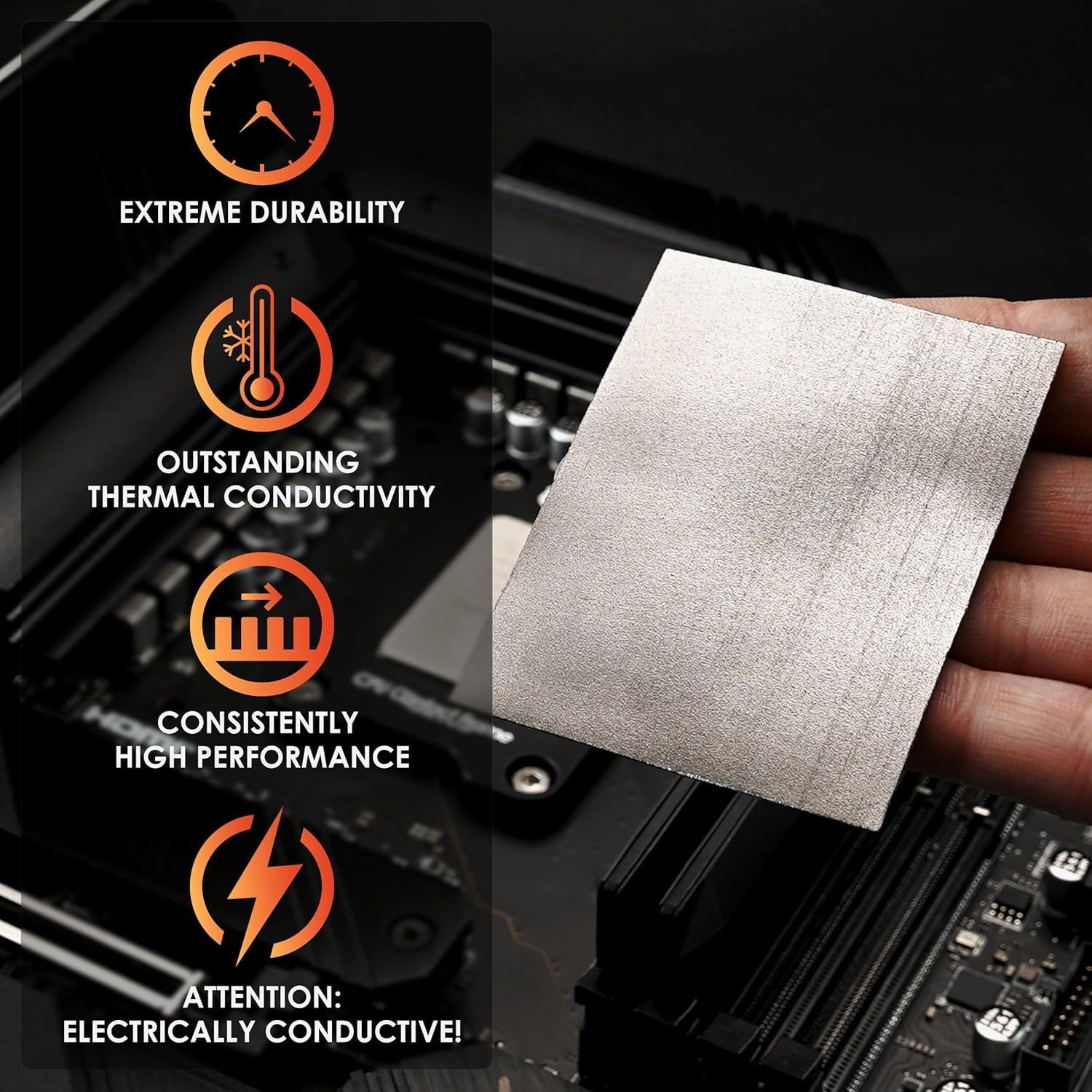
Graphene pads — the Thermal Grizzly KryoSheet is the headline product here — are solid, pre-cut sheets of compressed graphene. Graphene conducts heat laterally and vertically with extraordinary efficiency; the KryoSheet is manufacturer-rated at approximately 40 W/m·K perpendicular thermal conductivity, a number that sounds modest until you compare it to a paste’s ~12–14 W/m·K and realize you’re eliminating the squeeze-and-spread step entirely. The pad is a fixed, consistent layer. No pump-out over time. No mess.
Phase-change pads — primarily the Thermal Grizzly PhaseSheet and the widely available PTM7950 from Honeywell (used by major OEMs and now sold to consumers directly) — start as solid material at room temperature and transition toward a semi-liquid state around 45–52 °C. At operating temperature, this phase transition lets the material conform to microscopic surface imperfections the way paste does, but without the long-term migration risk of a traditional liquid TIM. When the system powers down and cools, the pad re-solidifies in place. HardwareLuxx’s PTM7950 long-term assessment documents one defining owner behavior: people who apply PTM describe it as a deliberate, one-and-done installation — the kind of TIM you put on and consciously never revisit.
Liquid metal — Thermal Grizzly Conductonaut and the Conductonaut Extreme being the most documented consumer SKUs — is a gallium-indium alloy applied like a very thin paste. Thermal conductivity figures cluster around 73–80 W/m·K, roughly 5–6× a premium paste. The tradeoff: gallium corrodes aluminum (meaning aluminum cooler contact surfaces are incompatible), is electrically conductive (a spill is a board-kill event), and demands careful prep. The performance ceiling is genuinely higher than any pad technology; the floor for a botched application is genuinely catastrophic.
The Performance Picture by Platform
CPU Applications: Desktop Processors
On desktop CPUs, the typical contact surface is a nickel-plated copper IHS (integrated heat spreader) mating with a copper or nickel cooler base. This is the safest environment for all three material types — no aluminum compatibility concern, and the flat, well-defined contact area plays to graphene pads’ geometry.
KitGuru’s thermal paste durability and pump-out reporting on Ryzen desktop CPUs documents a consistent pattern among Kryonaut users who eventually migrated to more durable compounds: the switch was triggered not by initial peak temperatures but by drift over time. Owners running sustained workloads on Ryzen 9 5900X builds report noticing hotspot creep after 12–18 months — temperatures that had been stable rising 4–8 °C as pump-out degraded coverage. Moving to Thermal Grizzly Duronaut, a polymer-reinforced paste designed to resist pump-out, addressed that drift. The lesson for practitioners: if you’re building a system you plan to run sustained Cinebench or Prime95 loads on for years without opening it, pump-out resistance is worth paying for — and pads eliminate the variable entirely.
On CPUs with high TDP envelopes (Intel Core i9-13900K/14900K, AMD Ryzen 9 7950X, Threadripper 7000 series), liquid metal on the IHS is where the headline numbers live. Tom’s Hardware’s thermal interface material roundup consistently puts liquid metal 5–12 °C ahead of premium paste at peak load on high-TDP desktop processors, with a slightly larger margin under sustained workloads where paste pump-out begins to matter over a longer test window. The KryoSheet graphene pad lands between premium paste and liquid metal on a stock cooler installation — owners report consistent 3–6 °C improvements over Kryonaut without any of the liquid metal handling requirements.
GPU Applications: Where Pads Often Win
GPU thermal management is structurally different. The die is often bare (no IHS), cooler contact surfaces frequently include aluminum components, and the spatial constraints of a GPU card make spill consequences severe. This is where graphene and phase-change pads earn their keep.
Igor’s Lab’s KryoSheet review and thermal conductivity analysis captures the most vivid GPU-specific data in this product category. A reference RX 7900 XTX — a card with a documented hotspot temperature problem at stock settings — had its junction temperatures (the hottest measured point on the die) consistently driving fans to 98–100% capacity under load. After replacing thermal paste with the KryoSheet, junction temperatures dropped into a range the card’s fan curve no longer treats as emergency territory, with the high-fan behavior described as effectively eliminated. The behavioral change — fans no longer screaming — is the kind of before/after that makes an impression even without a single precise delta-T number.
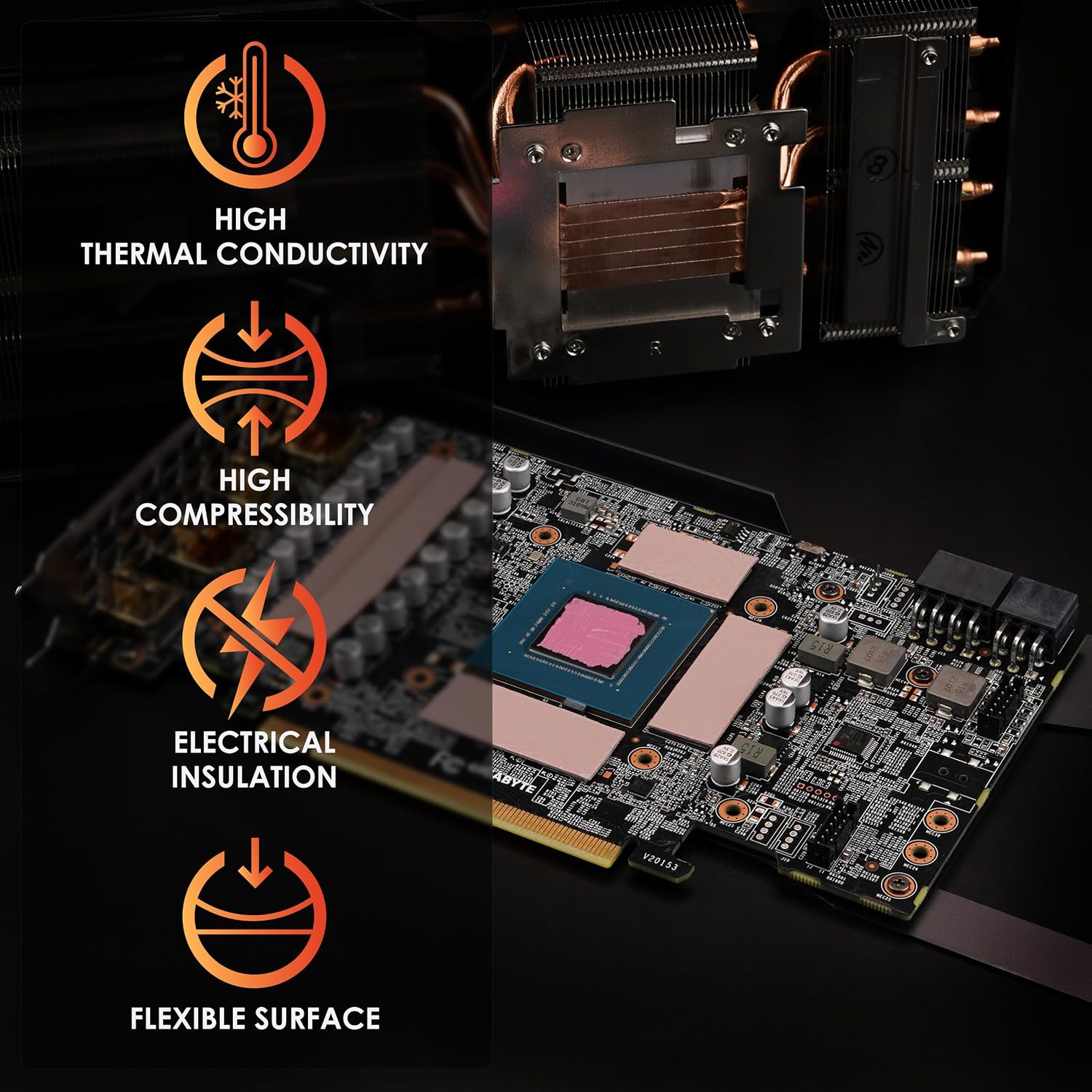
For VRAM and VRM thermal pads (the foam-like pads that bridge memory chips to the heatspreader), Thermal Grizzly Minus Pad 8 earns consistent praise in a specific niche: SSD enclosures and GPU VRAM applications where factory-installed pads failed to achieve proper contact. The 8 W/m·K conductivity rating and availability in 0.5 mm thickness increments make it the precision tool for applications where stock pad thickness was wrong or stock material was inadequate. Arctic TP-3 earns its own reputation for softness — it compresses without requiring significant board flex, which matters when VRAM chips sit at varying heights across a PCB.
Head-to-Head Comparison
The table below summarizes where each material category lands, followed by three tier-structured subsections that map the options to real build scenarios.
| Material | Typical Delta-T vs. Premium Paste | Pump-Out Risk | Aluminum Safe? | Electrically Conductive? |
|---|---|---|---|---|
| Premium paste (baseline) | 0 °C | High (12–24 mo.) | Yes | No |
| Graphene pad (KryoSheet) | −3 to −7 °C | None | Yes | No |
| Phase-change pad (PTM7950 / PhaseSheet) | −4 to −8 °C | Very low | Yes | No |
| Liquid metal (Conductonaut) | −8 to −15 °C | Very low | No | Yes |
Ranges represent aggregated findings across CPU and GPU platforms as reported in Tom’s Hardware’s TIM roundup, Igor’s Lab’s KryoSheet analysis, and HardwareLuxx’s PTM7950 long-term assessment; individual results vary with surface finish, mounting pressure, and load profile.
Graphene Pads: Best for GPU Hotspot Problems and Clean Installs
The KryoSheet sits in the middle of the performance band but at the top of the convenience band. No conductive risk, no aluminum incompatibility, no squeeze-and-spread — just a pre-cut pad that goes on in seconds once you understand its handling requirements. The fragility concern is real but manageable: Igor’s Lab’s review documents that negative owner experiences track almost universally to room-temperature or warm handling. The correct protocol is to keep the pad cool (not frozen, just away from hand heat) before peeling, use the included protective film as a handling layer until the final placement, and work slowly from one edge. Practitioners who follow this describe zero application failures.
The KryoSheet’s specific hero scenario is a GPU with a documented hotspot problem. Where liquid paste leaves a junction-temperature problem unsolved because application pressure cannot be precisely controlled across an irregular bare die, the graphene pad applies a consistent layer with no variable. Igor’s Lab’s KryoSheet analysis on the RX 7900 XTX documents exactly this outcome: a repeatable, significant reduction in junction temperature that changed real fan behavior.
Thermal
$9.99
In stock on Amazon
Check price on AmazonPhase-Change Pads: Best for Long-Term Sealed Builds
PTM7950 and the Thermal Grizzly PhaseSheet occupy a philosophical niche as much as a thermal one. HardwareLuxx’s PTM7950 long-term assessment frames the material’s appeal precisely: it’s TIM for people who want to close the case and never think about thermal maintenance again. The phase transition ensures the material conforms fully at operating temperature, eliminating the gap-filling uncertainty of a rigid pad. When cool, it re-solidifies lightly bonded to both surfaces — not aggressively adhesive, but deliberate to remove (gentle heat is sufficient).
Phase-change pads are also genuinely safe for GPU use near exposed solder pads, a critical point documented in manufacturer specifications for both PTM7950 and PhaseSheet: the material is electrically non-conductive. This is one concrete advantage over liquid metal in a GPU context, where a conductive material in the wrong spot is a board-level failure waiting to happen.
For workstations, render nodes, or any build you expect to run high-TDP sustained workloads for two to five years without opening, phase-change pads are the lowest-maintenance path to better-than-paste performance. The tradeoff is reinstallation inconvenience — plan your application as a commitment.
Thermal
$18.74
In stock on Amazon
Check price on AmazonLiquid Metal: Best for Maximum Performance on Qualifying Platforms
Liquid metal is the only TIM in this comparison that genuinely leaves the others behind on raw thermal numbers. Tom’s Hardware’s thermal interface material roundup places Conductonaut 8–15 °C ahead of premium paste on high-TDP desktop processors — a margin that can mean the difference between a processor throttling and holding boost clocks through a sustained workload. On a Threadripper or Core i9 build that spends hours at full load, that delta is not cosmetic.
The qualification list is serious, however. TechPowerUp’s GPU specification database is a useful first reference for identifying whether a given cooler uses aluminum contact surfaces — copper and nickel are safe; aluminum is incompatible and will corrode on contact with gallium. The application process requires electrical tape or Kapton masking around the IHS before you begin, a deliberate thin application (liquid metal spreads aggressively), and patience. A spill onto a motherboard PCB is not a recoverable situation.
For the right platform — a nickel or copper cooler base, a high-TDP desktop CPU, an owner who has read the preparation steps carefully — liquid metal’s performance ceiling is unmatched in this category.
Thermal
$18.74
In stock on Amazon
Check price on AmazonHandling Reality: What Owners Actually Report
The PTM Philosophy
The phase-change PTM7950 owner narrative is unusually consistent across platforms. As documented in HardwareLuxx’s PTM7950 long-term assessment, PTM owners frame the application decision as an exit from the repaste maintenance cycle. The material bonds lightly to both surfaces after thermal cycling, and removal requires gentle heat. The upshot: if you’re building a workstation or a system you want to set and genuinely forget, PTM trades some reinstallation convenience for the elimination of long-term drift.
Arctic TP-3 for Gap Uncertainty
Arctic’s TP-3 earns specific, consistent praise for one characteristic owners keep naming: softness. The material compresses without requiring significant board flex, which matters across a PCB with varying solder joint heights. The stackability feature — layering two 1.0 mm pads to approximate a 2.0 mm application — is a genuine practical advantage when you’re not sure of exact gap thickness. It is not a perfect substitute for a precision-thickness pad in every scenario, but it eliminates the “I ordered the wrong thickness” problem for many real-world installations.
The Decision Framework: If X, Then Y
-
Maximum performance ceiling on a desktop CPU with copper/nickel cooler, comfortable with careful prep: Liquid metal (Conductonaut). Confirm cooler base material is not aluminum before opening the package.
-
Meaningfully better-than-paste performance without conductive risk, building something to seal for 3–5 years: Phase-change pad (PTM7950 or PhaseSheet). Apply once, stop thinking about it.
-
GPU with a documented hotspot problem driving fans to high duty cycles at stock settings: KryoSheet graphene pad. Follow the cool-handling protocol; the behavioral improvement is documented in Igor’s Lab’s KryoSheet review.
-
VRAM or VRM gap pads for a GPU teardown or SSD enclosure with inadequate factory pads: Minus Pad 8 for precision low-thickness applications; Arctic TP-3 where softness and stacking flexibility matter more than exact thickness.
-
Sustained high-TDP desktop workloads, current premium paste 12+ months old with rising temperatures, not ready to commit to a pad: Duronaut before anything else — least disruptive upgrade, directly addresses pump-out drift as documented in KitGuru’s thermal paste durability reporting.
Frequently Asked Questions
Does the KryoSheet require Kapton tape on a standard CPU installation? No. On a standard desktop CPU-to-cooler installation (IHS to copper/nickel cooler base), the KryoSheet sits as a dry pad with no tape or adhesive required. Kapton tape is only relevant when owners use it for bare-die GPU applications to mask surrounding components as a precaution.
Is the PhaseSheet PTM truly non-conductive and safe near exposed GPU pads? Yes. PTM7950 and Thermal Grizzly’s PhaseSheet are specified as electrically non-conductive by their manufacturers. This is one of the material’s key advantages over liquid metal in GPU applications, where exposed solder pads make conductivity a real liability.
How do I determine what thickness of Minus Pad 8 or Arctic TP-3 I need? The correct method is direct measurement: with the cooler removed, use a feeler gauge set across a chip to determine standing clearance. TechPowerUp’s GPU specification database lists cooler contact surface details for many reference cards, which can help narrow the range before you measure physically. Most modern VRAM chips target a 1.0–1.5 mm gap; M.2 SSD enclosures often need 0.5 mm. When in doubt, the Arctic TP-3’s stackability makes it forgiving for initial installs.
Is Duronaut meaningfully more durable than Kryonaut under sustained workloads? Based on manufacturer specifications and owner reports documented in KitGuru’s thermal paste durability and pump-out reporting on Ryzen desktop CPUs, yes. Kryonaut is optimized for initial performance; Duronaut adds polymer stabilizers specifically to resist pump-out that high-TDP sustained cycling accelerates. Owners who migrated to Duronaut after noting Kryonaut drift on Ryzen 9 5900X workstation builds report stable temperatures across follow-up periods where Kryonaut had already degraded. If your system runs daily sustained rendering or simulation workloads, Duronaut is the paste-category pick; pads eliminate the variable entirely.
Can I stack two Arctic TP-3 1.0 mm pads to get the same result as a single 2.0 mm pad? Approximately, with a caveat. The stack introduces a material-to-material interface that adds marginal resistance. For VRAM and VRM applications — where the gap-filling function matters more than raw conductivity — owners report the stacked result is functionally equivalent. For high-power applications where every fraction of a degree counts, a single-layer pad at the correct thickness is preferable. Use the stack as a diagnostic tool and stop-gap while you confirm the measurement, then order the correct single thickness for a permanent installation.