A custom water-cooling loop sounds intimidating until you break it down into its parts. At its core, a loop is just a closed circuit of water (technically a premixed coolant) that moves heat away from your processor or GPU, passes it through a metal radiator mounted inside your case, and cycles back around to do it again. Unlike an all-in-one (AIO) liquid cooler — the sealed, maintenance-free units most people start with — a custom loop lets you choose every component yourself: the pump that moves the fluid, the reservoir that holds it, the tubing that carries it, the fittings that connect everything, and the radiator that dumps the heat. That flexibility is the whole point. It also means the burden of getting things right falls on you. This guide is specifically about the entry ramp: soft tubing loops built with budget-conscious fittings and radiators. We’ll walk through what to buy, what to skip, and — critically — where the real risks hide so you can avoid them before you fill the loop with a single drop of coolant.
Why Soft Tubing Is the Right Starting Point (Not a Compromise)
There’s a persistent myth in the enthusiast community that soft tubing — the flexible, rubber-like hose that you push fittings into — is the budget option you graduate out of on your way to a “real” hardline build. That’s backwards thinking, and it costs beginners real money.
Hardline tubing (rigid acrylic or PETG pipes with angled fittings) looks stunning in a showcase build. It’s also genuinely unforgiving: measure wrong, heat-bend imprecisely, or cut a millimeter short, and you’re re-buying material and starting over. Soft tubing, by contrast, bends around obstacles naturally, absorbs minor miscalculations in routing, and can be swapped or rerouted later without a heat gun. Overclock3D’s soft tubing loop build guide (2024) describes soft tubing as forgiving in a way that lets you focus your attention on the things that actually affect thermal performance — radiator surface area, pump flow rate, and coolant chemistry — rather than on geometry.
The practical upside for a first loop: you spend your mental energy on leak prevention and component selection, not on perfecting 45-degree bends. That’s the right priority order.
Soft tubing inner diameter (ID) and outer diameter (OD) matter for fitting selection. The most common size in the enthusiast market as of 2026 is 3/8” ID × 1/2” OD (roughly 10mm × 13mm). You’ll also see 1/2” ID × 3/4” OD in larger or more flow-optimized builds. Before you buy a single fitting, lock in your tubing size — then buy everything to match. Mixing ID/OD sizes mid-loop is a compatibility headache you don’t need.
Fittings: Where Budget Brands Have Quietly Earned Their Place
Fittings are the components that connect your tubing to your radiator, pump, reservoir, and waterblocks. The standard thread used by virtually every component in the PC water-cooling market is G1/4” (sometimes written as G 1/4-19 BSPP) — a British pipe thread standard that the industry adopted decades ago and hasn’t deviated from. That standardization is what makes a budget fitting from one brand mechanically interchangeable with a port on a flagship EK reservoir.
The two main types you’ll encounter:
- Barb fittings: the tubing slides over a barbed nipple and is secured with a clamp. Cheap, but harder to disconnect and not commonly used in new loops.
- Compression fittings: the tubing inserts into the fitting body and is locked in place by a compression nut that you tighten by hand. These are the standard for a reason — they create a clean, reliable seal and are easy to disassemble when you need to drain and reconfigure.
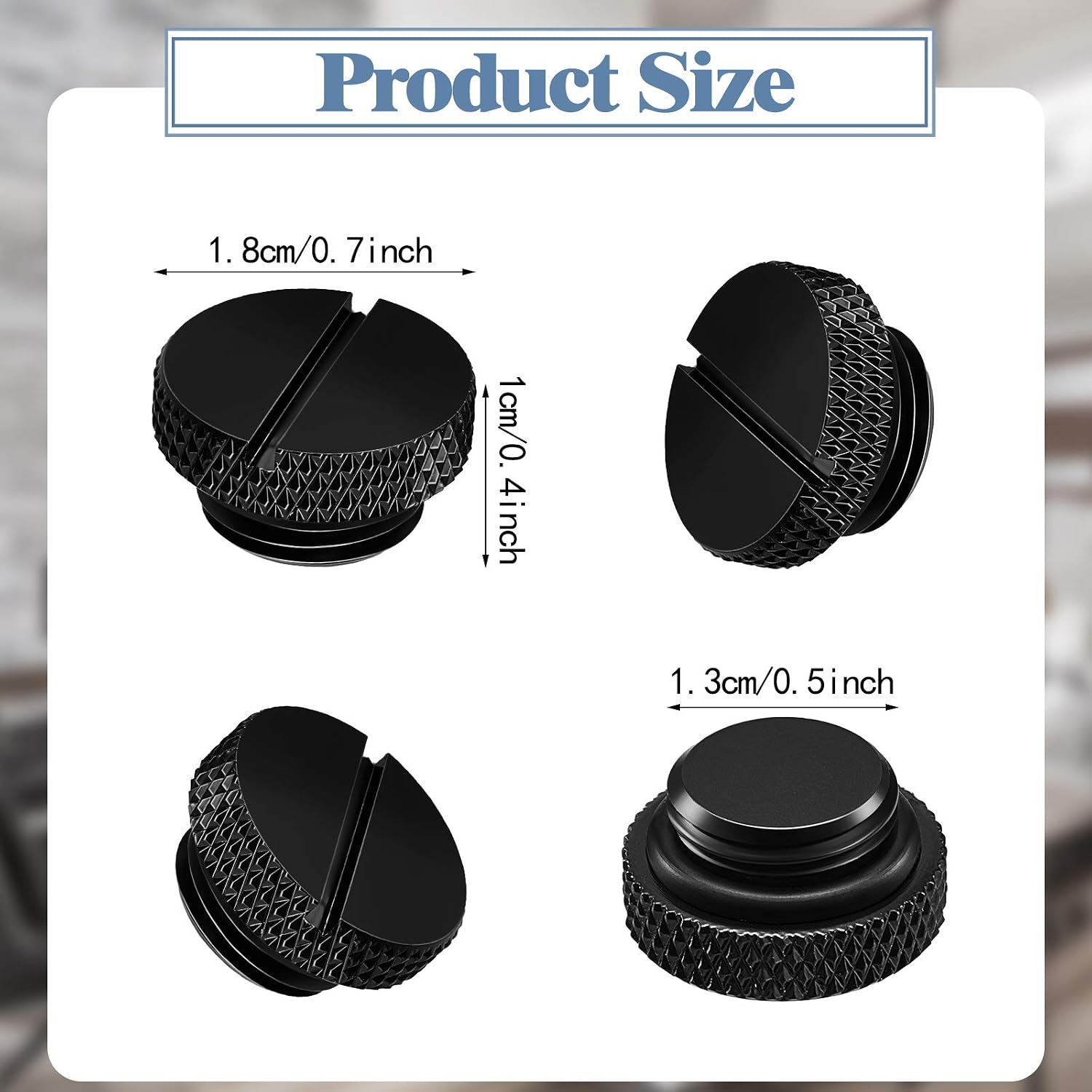
For budget compression fittings, third-party options sold under brands such as Dracaena.io have accumulated credible owner reputations in the enthusiast community. What makes the feedback interesting isn’t just “they didn’t leak” — it’s the specificity. Multiple owners document zero-leak performance over extended use, explicitly describe compatibility with Corsair pump/reservoir combos and Corsair radiators, and point to the inclusion of extra O-rings in the packaging as a sign that the manufacturer understands the stakes. That’s a strong claim, and when it shows up repeatedly across independent reviewers rather than in a single outlier, it’s worth taking seriously.
Hotop
$9.99
In stock on Amazon
Check price on AmazonThe O-ring point deserves emphasis. O-rings are the rubber seals inside compression fittings that create the watertight barrier. They degrade over time and can arrive damaged. A brand that includes spares is telling you they’ve thought about long-term ownership, not just the initial sale.
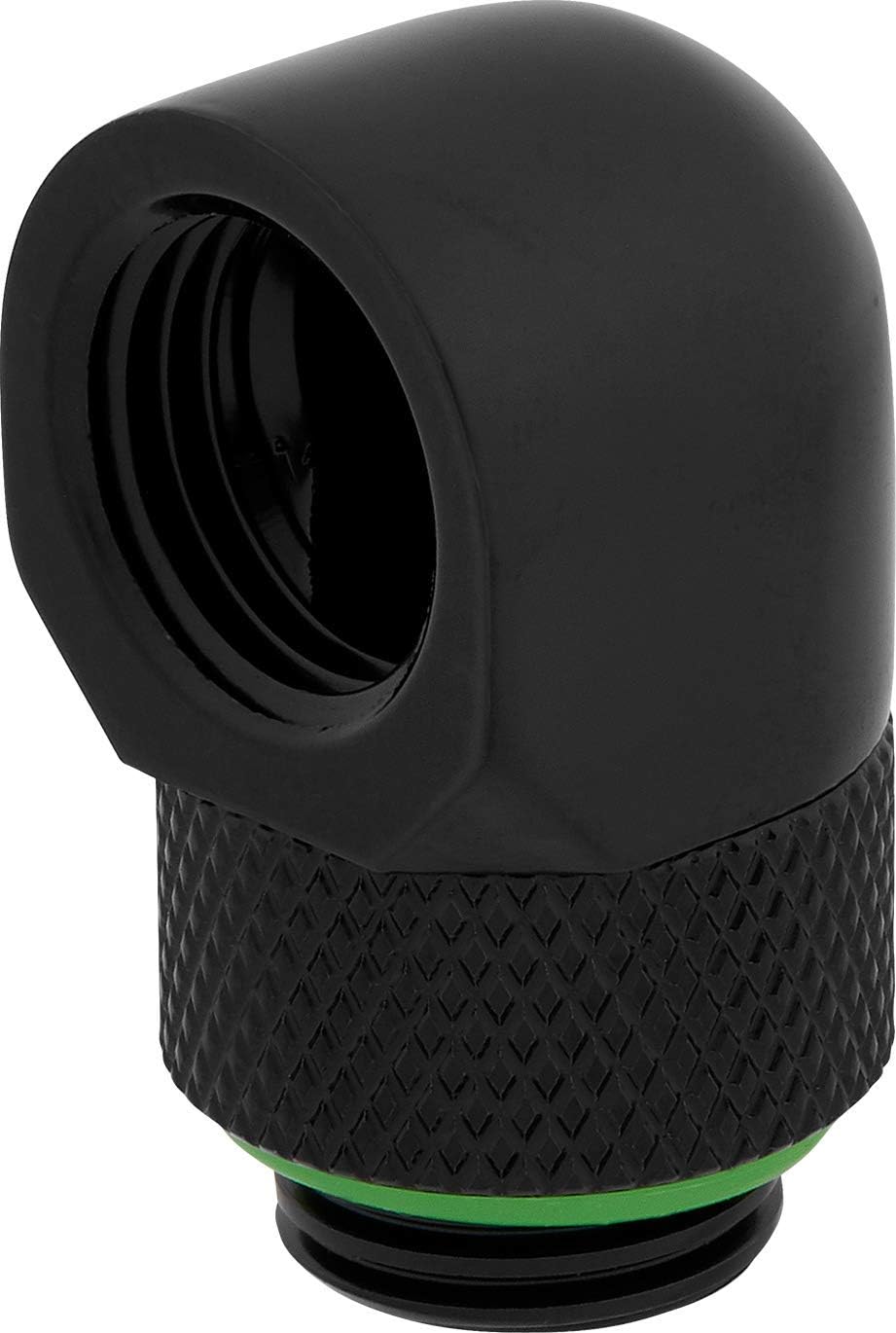
For 90-degree rotary adapters — the angled fittings you use when a straight fitting would create a tubing kink or routing problem — Corsair’s own 90-degree rotary adapters are a well-regarded mid-tier option. Owner-documented durability reports in the community describe multi-year continuous use without leaks, which in the water-cooling world, where fittings are the most common failure point for new builders, is about as close to a practical endorsement as you’ll find outside a controlled lab.
Corsair
$31.99
In stock on Amazon
Check price on AmazonA word on mixing fitting brands: G1/4” is G1/4” — the thread is standardized. The practical risk in mixing brands is O-ring thickness variation. If an O-ring from Brand A is slightly thinner than the port on Brand B expects, you’ll get a micro-gap that weeps coolant slowly. TechPowerUp’s water-cooling fittings compatibility guide (2024) notes that the G1/4” standard is tight enough that cross-brand mixing is generally reliable, but recommends keeping O-ring sizes consistent across the loop wherever possible. The mitigation is simple: when mixing brands, snug the fitting, leak-test for 24-plus hours with the system powered off and then powered on at temperature, and check every connection point.
Radiators: Surface Area, Thickness, and the 240mm Reality Check
A radiator is a heat exchanger — a grid of thin metal fins and small channels through which your coolant circulates, shedding heat to the air moved by your fans. The variables that determine how much heat a radiator can move are: surface area (determined by radiator size — 120mm, 240mm, 360mm, 480mm), fin density (fins per inch, or FPI), and thickness.
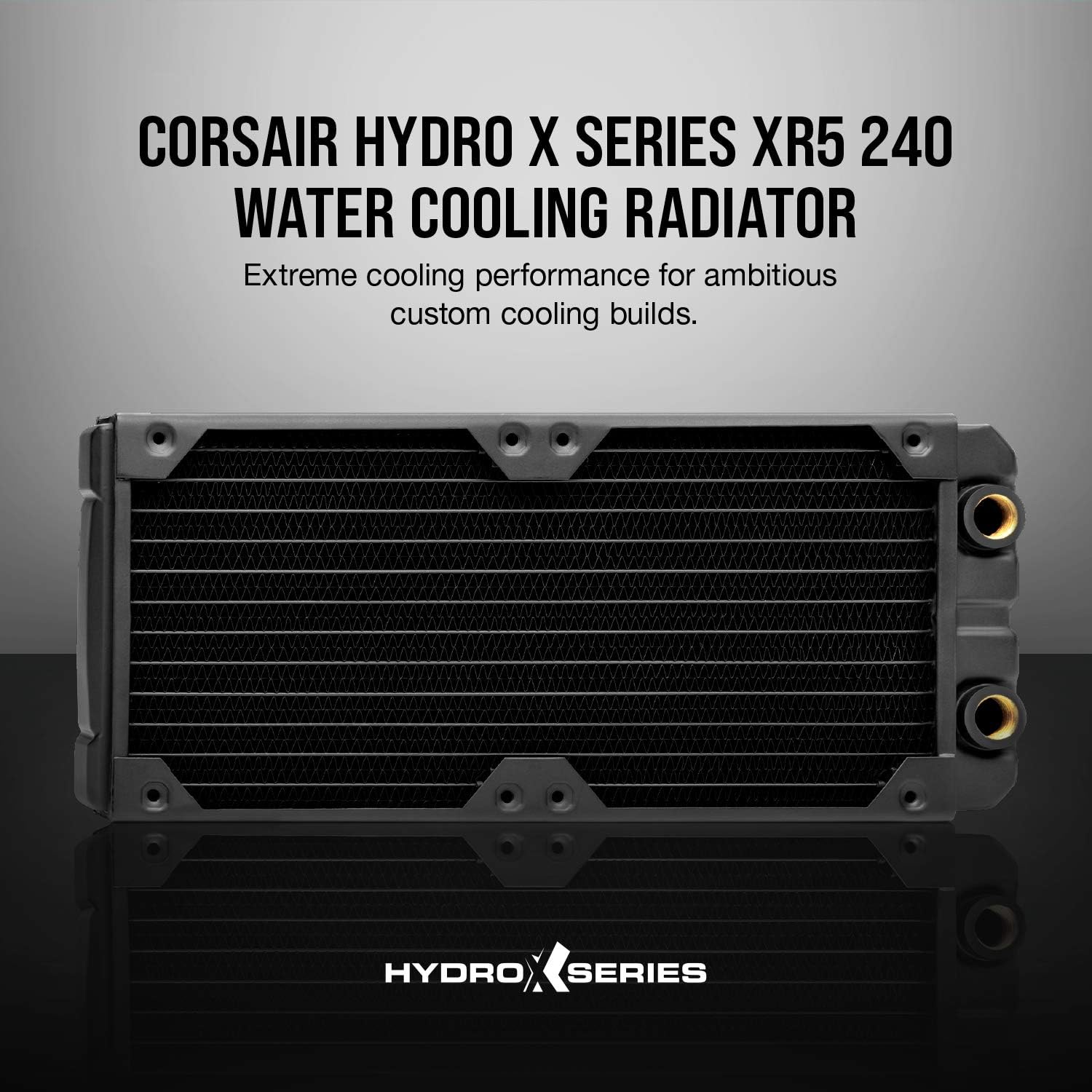
For a first loop on a budget, the 240mm radiator category is the practical sweet spot. The Corsair XR5 240mm is a well-documented choice in this category. KitGuru’s Corsair XR5 radiator review describes its copper core and relatively high fin density as suited for mid-range thermal loads. Critically, multiple owners have documented real-world use cases that match exactly what a budget first-loop builder encounters: stable temperatures maintained under sustained load inside space-constrained cases where larger radiators physically wouldn’t fit. That’s the scenario you’re likely in — not a full tower with five radiator mounts, but a mid-tower with one or two radiator positions and a hard clearance ceiling.
Hotop
$9.99
In stock on Amazon
Check price on AmazonIs 240mm enough? Here’s the honest math:
| CPU TDP Range | Radiator Minimum | Comfortable Headroom |
|---|---|---|
| ≤ 65W (Core i5, Ryzen 5 eco mode) | 120mm | 240mm |
| 65–125W (mainstream i7/Ryzen 7) | 240mm | 360mm |
| 125–253W (i9-14900K, Ryzen 9 9950X) | 360mm | 480mm+ |
A 240mm radiator will handle a mainstream mid-range CPU (think Ryzen 7 9700X or Core i7-14700 at stock clocks) in a single-component loop without producing alarming temperatures, provided your fans are pushing adequate airflow. Hardware Luxx’s custom loop component roundup (2024) confirms this range with the caveat that high-TDP CPUs — Intel Core i9 or AMD Ryzen 9 variants running without power limits — will saturate a 240mm rad quickly under sustained Cinebench or Prime95 loads. If you’re planning to remove power limits and push for overclocking headroom, budget for 360mm at minimum.
For builders who want additional thermal headroom but still want to keep costs controlled, a 360mm radiator from Alphacool or a comparable brand in the same copper-core category represents a meaningful step up without crossing into premium pricing territory.
Corsair
$31.99
In stock on Amazon
Check price on AmazonFor high-TDP builds, dual-radiator configurations using 360mm or 480mm units from EK or Aquacomputer represent the premium end of the market — overkill for a first loop, but worth knowing exists if your build ambitions grow.
CORSAIR
$74.99
In stock on Amazon
Check price on AmazonStop Plugs: The Detail Nobody Warns You About
Every radiator and reservoir has multiple G1/4” ports. You’ll only use a fraction of them. The unused ones need to be sealed with stop plugs — threaded plugs that close off the port completely. Miss one, and you have a slow drip that damages your motherboard before you even notice it.
A genuine gotcha that official product documentation consistently skips is the physical difference between recessed and flush G1/4” ports. Some ports (common on EK reservoirs, for example) sit slightly recessed into the body — a standard flush-face plug threads in and bottoms out, but leaves a gap at the surface that can weep coolant under pressure. Stop plug sets that include both recessed-profile and flush-profile variants solve this problem. The Hotop brand stop plug assortment is one such set that experienced builders include in kit lists for exactly this reason — it covers both port geometries, which is why it appears even in builds where every other fitting is a premium-brand component.
Hotop
$9.99
In stock on Amazon
Check price on AmazonRule of thumb: plug every G1/4” port that won’t have a fitting or adapter before you fill the loop. Count your ports before you order stop plugs. A 240mm radiator typically has four ports (two inlet, two outlet in different face positions). A reservoir will have anywhere from two to six depending on design.
The Ecosystem Advantage: When Brand Consistency Pays Off
One underappreciated strategy for a first loop is leaning into a single brand’s ecosystem for your pump, reservoir, fittings, and radiator — specifically Corsair’s Hydro X line. Multiple owners who transitioned from Corsair AIOs to custom loops describe the process as significantly less stressful than expected, specifically because the Corsair ecosystem components are designed to work together: the pump/reservoir combo uses standardized port positions, the iCUE software already recognizes the pump, and the radiator port sizing matches the fitting lineup without guesswork.
This isn’t a claim that Corsair’s components are superior on raw thermal performance to EK or Alphacool equivalents at the same price point. Tom’s Hardware’s Best CPU Coolers roundup (2025 edition) consistently shows performance within narrow margins across quality brands in the same radiator size class. The ecosystem advantage is friction reduction. For a first loop where the learning curve is already steep, fewer compatibility unknowns matter — and that’s a real benefit worth weighing against marginal thermal differences.
Leak Testing: The Step You Cannot Abbreviate
Before you power on a single component, fill the loop with distilled water and run the pump for a minimum of 24 hours with everything powered only by a PSU jump-start (a paperclip across the 24-pin connector powers the PSU without the motherboard). Check every fitting connection, every stop plug, and every waterblock inlet/outlet at hour one, hour six, and hour twenty-four. Then power on the full system and check again after a thermal cycle — the fittings expand slightly under heat, and a connection that was fine cold sometimes reveals itself under load.
24 hours is the minimum. 48 hours is better. Rushing this step is how people destroy expensive motherboards.
Frequently Asked Questions
Are budget compression fittings from lesser-known brands actually safe for a PC water-cooling loop? Yes, with caveats. The G1/4” thread standard is tightly controlled, so the mechanical interface is the same regardless of brand. What varies is O-ring quality and manufacturing consistency. Brands that include extra O-rings and have accumulated multiple independent zero-leak owner reports are meaningfully lower risk than random no-name fittings with no review history. The test is the same regardless of brand: 24–48 hours of leak-testing before power-on.
Do I need to use stop plugs on all unused G1/4” ports on my radiator and reservoir? Every single one. There are no exceptions. An unsealed port will drip. Pay attention to whether your ports are recessed or flush-face — make sure your plugs match your port geometry.
How long should I leak-test a custom loop before I power on the system? 24 hours absolute minimum; 48 hours is a better standard. Run a full thermal cycle (power on, run a load, power off, let it cool) and inspect again after the first heat cycle.
Can I mix fittings from different brands in the same loop without compatibility issues? Generally yes — G1/4” is standardized. The practical risk is O-ring thickness variation. TechPowerUp’s water-cooling fittings compatibility guide (2024) recommends keeping O-ring sizes consistent across the loop wherever possible, and extending your leak-test window when mixing brands.
Is a 240mm radiator enough for a modern mid-range CPU in a custom loop? For a single-CPU loop with a processor in the 65–125W sustained TDP range (Ryzen 7 9700X, Core i7 at stock), yes — owners consistently report stable temperatures under sustained load with a quality 240mm radiator and adequate fan airflow. Push past 125W sustained, or add a GPU to the loop, and you’ll want to step up to 360mm, as Hardware Luxx’s custom loop component roundup (2024) confirms.
Here’s where you can buy the products named in this article — if you click through, we may earn a small commission. It doesn’t change our picks.