If you’ve decided to go with a 360mm all-in-one liquid cooler — that’s a closed-loop cooling unit where the pump sits on your processor, liquid circulates through a hose, and heat dissipates through a large radiator mounted inside the case — the next question is whether your mid-tower case can actually accommodate it. A radiator this size is 120mm × 360mm (roughly the footprint of a sheet of A4 paper), and it needs not just physical space but clearance: room to mount fans on both sides, room for hoses to route without kinking, and enough gap between the radiator and your RAM or GPU so nothing gets pinched. The frustrating reality is that a case’s spec sheet might say “supports 360mm front radiator” while quietly making that installation a miserable exercise in compromises. This guide cuts through the marketing language and shows you exactly what to look for — and which popular mid-towers deliver a clean install versus a fight.
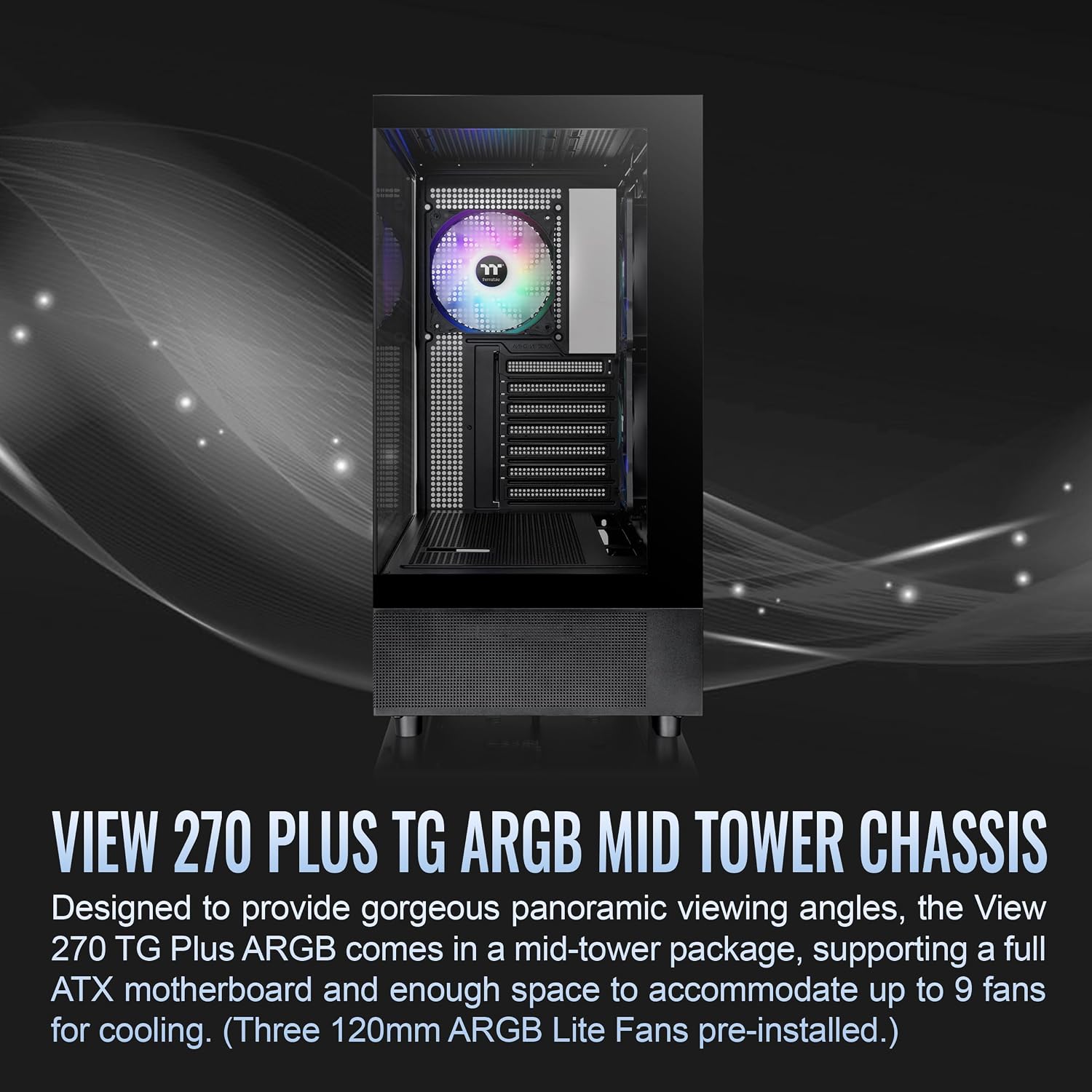
| EDITOR'S PICKNZXT H5 Flow 2024 - Compact ATX… | Mid-tierASUS Prime AP201 Micro ATX PC C… | Budget pickThermaltake View 270 Plus TG AR… | |
|---|---|---|---|
| Form Factor | ATX Mid-Tower | Micro ATX SFF | E-ATX Mid Tower |
| Radiator Support | 360mm front | 360mm | 360mm |
| Fans Included | 2 × 120mm | Pre-installed fan | 3 × 120mm ARGB |
| Side Panel | Tempered Glass | Mesh panel | Tempered Glass |
| Max GPU Length | — | 338mm | — |
| PSU Support | — | ATX | — |
| Price | $79.99 | $71.24 | $56.51 |
| See on Amazon → | See on Amazon → | See on Amazon → |
Why “Supports 360mm” Doesn’t Mean What You Think
Manufacturers use “360mm support” as a checkbox, not a promise of comfort. The number tells you the radiator can physically fit, but it says nothing about what you give up to make that happen.
The three constraints that turn a “supported” install into a headache are:
RAM clearance at the top mount. If your case mounts a 360mm radiator at the top of the chassis, the radiator (typically 27–30mm thick) plus two 25mm fans equals 52–55mm of total stack depth hanging below the top panel. Your motherboard’s DIMM slots sit very close to that ceiling on most ATX layouts. Reviewers at Tom’s Hardware consistently flag this in their case coverage: tall RAM heatspreaders — anything over 40mm, which includes most enthusiast DDR5 kits — will physically contact a top-mounted 360mm radiator stack in cases with less than 55mm of clearance between the top panel interior and the DIMM slot centerline. That measurement varies by case and almost never appears in the official spec sheet.
GPU clearance at the front mount. Front-mounted radiators are generally the better thermal choice — they pull cool ambient air directly rather than recycling warm air that’s already passed over the motherboard. But a 360mm radiator mounted front-and-center in a compact mid-tower can intrude on GPU territory. If the case’s front-to-motherboard tray distance (the “depth” of the front chamber) is under 50mm, a 30mm radiator plus 25mm fan leaves you 0mm of breathing room, literally touching the GPU shroud or blocking airflow entirely. Hardware Luxx’s case compatibility methodology identifies this as one of the two most common sources of post-purchase returns in the AIO segment.
Hose routing and pump-head orientation. This one is almost entirely invisible in spec sheets. The pump/CPU block on most 360mm AIOs has a fixed or limited-rotation hose outlet. If the radiator has to mount top-rear because the front won’t clear your GPU, but your socket orientation (especially on E-ATX or rotated-header boards) points the hose outlet away from the radiator, you’re putting a gentle kink in the hose every time. Over months of thermal cycling, that stresses the hose. It’s not catastrophic, but it’s worth avoiding. Igor’s Lab’s thermal and case analysis work highlights hose fatigue as an underappreciated long-term reliability variable in AIO builds.
The Numbers That Actually Matter
Before you buy any case, pull these four measurements from the spec sheet or manufacturer product page — and if they aren’t listed, treat that as a red flag:
| Measurement | Minimum for clean 360mm install | Why it matters |
|---|---|---|
| Top panel interior clearance (panel to DIMM) | ≥ 55mm | Clears standard 40mm+ DDR5 heatspreaders with radiator + fans |
| Front chamber depth (front panel to GPU face) | ≥ 50mm | Prevents radiator/fan stack from contacting GPU shroud |
| Front radiator max thickness supported | 30mm radiator + 25mm fans = 55mm | Most AIOs use 27–30mm radiators; 25mm fans are standard |
| Radiator hose clearance at mount point | Listed or photographed in review | Verifies hose won’t kink at intended orientation |
If a case lists “360mm radiator support” but omits top clearance and front chamber depth from its spec table, check a dedicated review before purchasing. Tom’s Hardware’s case roundup and individual reviews are among the most reliable sources for these secondary measurements.
Mid-Tower Cases That Actually Deliver: A Practical Breakdown
Here’s where the spec-checking pays off. Rather than an exhaustive list, the focus is on cases with documented, real-world 360mm compatibility — cases where reviewers and long-run owners confirm a clean install, not just a technically-possible one.
Lian Li Lancool III (~$120–$130 as of mid-2026) is consistently cited as a benchmark for 360mm front radiator fitment in the mid-tower segment. Tom’s Hardware’s Lancool III review documents a front chamber depth that comfortably clears a 30mm radiator plus 25mm fans without encroaching on GPU territory — even with high-profile cards like the RTX 5080 or RX 9700 XT. The side-hinge door mechanism also makes installation significantly less awkward than sliding-panel designs. If you’re building with a 360mm AIO and want the path of least resistance, the Lancool III is the reference point everything else gets compared against.
Fractal Design Torrent (~$130–$160 depending on configuration) takes a different approach: its primary design priority is massive front-facing airflow via two 180mm fans, but it accommodates a 360mm radiator at the front by replacing those fans. KitGuru’s Torrent review notes that the front radiator mount’s depth is generous enough that GPU clearance is a non-issue even with a full 55mm radiator-plus-fan stack. The tradeoff is that the Torrent is wide — a true mid-tower on the larger end of the segment — which may matter if desk space is limited.
Corsair 5000D Airflow (~$110–$130) is one of the best-documented cases for AIO compatibility across the enthusiast press. PC Mag’s mid-tower roundup and multiple long-form reviews confirm that the 5000D’s top mount offers adequate clearance for standard DDR5 heatspreaders, though builders running very tall spreaders (45mm+, common on some Corsair Dominator and G.Skill Trident Z5 Royal kits) should verify their specific kit height. The front mount is the cleaner option here: a spacious front chamber handles a 360mm stack with room to spare. Owners consistently report that cable management and hose routing feel deliberate rather than improvised, which matters when you’re working with AIO hoses that need gentle curves.
NZXT H7 Flow (~$100–$120) deserves mention as a middle-ground option. Tom’s Hardware’s case coverage rates it well for front 360mm mounting, and its more modest footprint makes it one of the smaller mid-towers where a 360mm front-mount install still works cleanly. The constraint to know: top-mount 360mm clearance is tight for high-profile RAM. NZXT’s own compatibility documentation is more forthcoming than most — they publish specific clearance figures for radiator positions, which is worth bookmarking when speccing a build.
Cases Where “360mm Support” Is Technically True but Practically Painful
Some popular cases make the supported-but-painful list. This isn’t a condemnation — they’re often excellent cases for air cooling or 240mm AIOs — but if you’re committed to a 360mm front or top mount, proceed with eyes open.
Compact “mini mid-tower” designs (cases marketed as fitting on smaller desks, typically under 430mm tall) frequently hit the GPU clearance wall at the front mount and the RAM clearance wall at the top mount simultaneously. When both are borderline, builders end up choosing the lesser compromise rather than a clean install.
Cases with fixed front intake panels below 40mm in depth — a category that includes some older Phanteks and some budget-tier options under $70 — restrict front-mount radiator thickness to the point where you’re forced to choose between a thinner radiator (not all AIOs ship with 25mm radiators) or the top mount with its own clearance tradeoffs.
The pattern across Hardware Luxx’s case compatibility analysis and Tom’s Hardware’s aggregated coverage is consistent: cases designed specifically with liquid cooling in mind (often marketed as “LC” or “Flow” variants) invest in front chamber depth and top-panel clearance. Cases designed primarily around airflow aesthetics or compact footprints often don’t.
The Decision Rule: If X, Then Y
If you already own the case and are speccing the AIO:
- Pull the front chamber depth. If it’s ≥ 50mm, front-mount is your primary option and you should bias toward it for thermal performance.
- If front depth is under 50mm, go top-mount and verify RAM heatspreader height won’t cause contact with the radiator stack.
If you’re buying both together:
- Prioritize front chamber depth ≥ 50mm over any other feature. This single measurement more than any other determines whether a 360mm AIO install is clean or compromised.
- Cross-reference against a dedicated review from Tom’s Hardware, KitGuru, or Hardware Luxx before purchasing. Manufacturer spec sheets are necessary but not sufficient — the secondary measurements you actually need are almost always in the review body, not the product listing.
If you’re on a budget and the case options in your range don’t clearly pass the clearance check:
- Downsize to a 280mm AIO. A quality 280mm AIO from a reputable manufacturer closes the performance gap with a 360mm unit significantly at noise-normalized comparisons, and compatibility headaches nearly disappear. The decision to force a 360mm into a marginal case to gain a few degrees of thermal headroom is rarely the right tradeoff when the 280mm option fits cleanly and lets the system breathe properly.
The honest bottom line: mid-tower cases are not all equal even when the spec sheet says the same thing. The good news is that the information to make a confident decision is out there in published reviews — it just requires knowing which secondary measurements to look for and which sources publish them. Check front chamber depth, check top clearance, name your RAM kit’s heatspreader height, and the decision gets straightforward fast.
Here’s where you can buy the cases mentioned in this guide — links go to current listings and if you click through we may earn a small commission. It doesn’t change our recommendations.