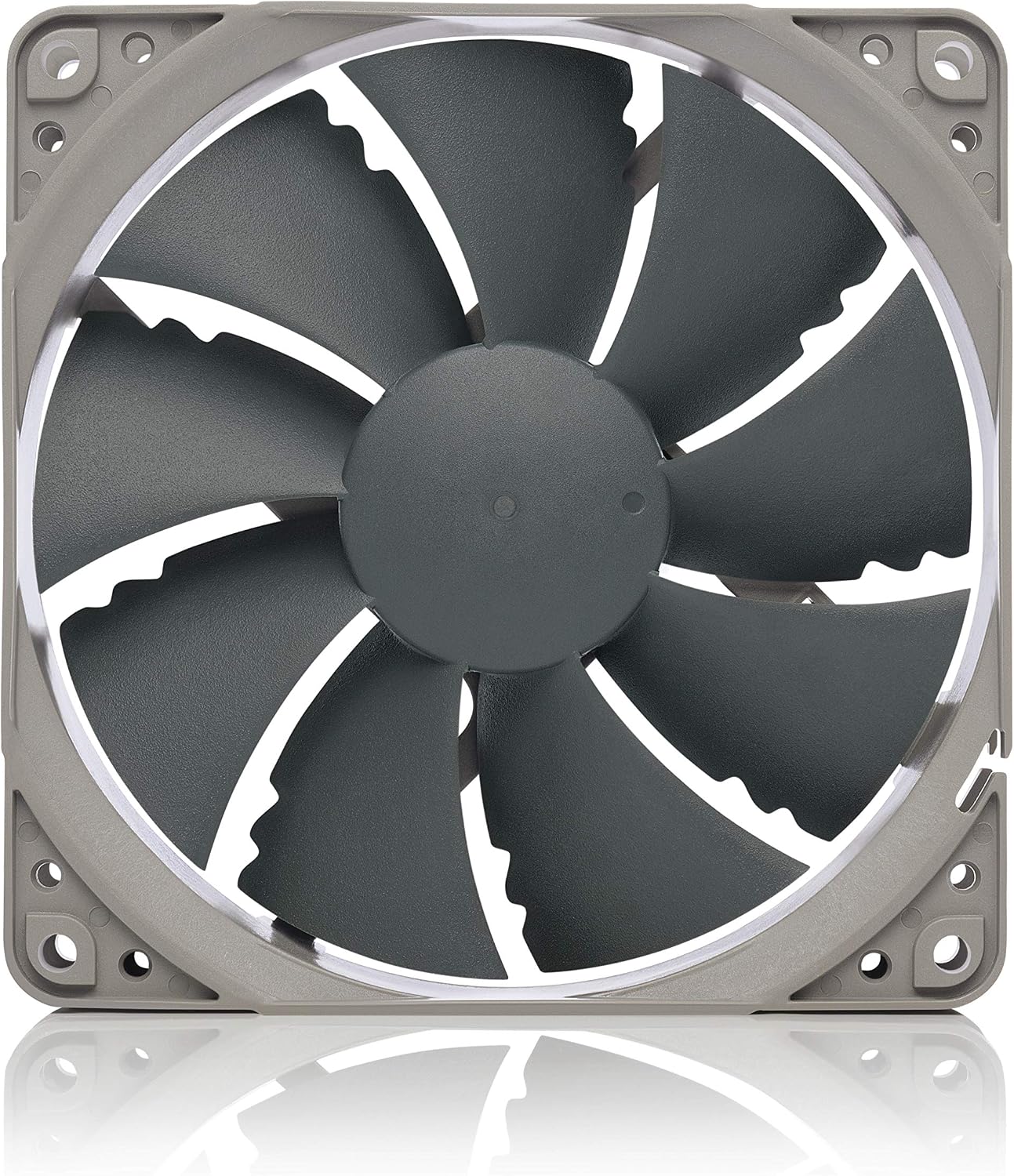
Case Fan Buying Guide: PWM vs. 3-Pin, High-RPM vs. Silent, and When to Spend More
A case fan is exactly what it sounds like — a fan that mounts inside your PC case to move air across your components. Your CPU cooler and GPU have their own fans, but case fans handle the broader picture: pulling cool air in from the front, exhausting hot air out the back or top, and keeping the ambient temperature inside the chassis low enough that everything else runs comfortably. Choose badly and your rig runs hot and loud. Choose well and you barely know the fans are there. This guide untangles the two most confusing decision points — the PWM-versus-3-pin connector question and the quiet-versus-airflow tradeoff — then maps specific fan picks to specific use cases so you can make a confident call rather than just grabbing whatever the case manufacturer bundled in.
PWM vs. 3-Pin: The Connector Difference That Actually Matters
This is the most common source of buyer regret we see reflected across aggregated reviews, so let’s be direct about it.
3-pin fans run at a fixed voltage. Your motherboard can reduce the voltage to slow them down — a technique called DC control — but not every board does this smoothly, and at very low voltages many fans stall entirely or pulse erratically. What you usually get is a fan that runs at one speed: whatever the manufacturer set. Be de Marque’s DARKROCK series is a well-known example; reviewers note that a significant portion of buyers were surprised to find the fans running at a constant speed because the product listing didn’t make the connector type prominent.
4-pin PWM fans (PWM stands for Pulse Width Modulation) receive a dedicated control signal on that fourth pin, letting the motherboard ramp speed up and down across the full RPM range cleanly and reliably — even down to near-zero on some models. This is what enables a fan to sit at 400 RPM at idle and spin up to 1,800 RPM under a Cinebench R24 all-core load without manual intervention.
The practical decision rule: If you care about fan curves — meaning you want your system genuinely quiet at idle and only loud when the workload demands it — buy PWM. If you’re filling intake slots in a build where you always want maximum airflow (a small-form-factor render node, for instance), fixed-speed 3-pin at a known RPM can actually be simpler to reason about.
One important caveat about the Arctic P12 Pro: Owners and reviewers consistently flag that this fan ships with an aggressive default PWM curve that treats anything above a modest load temperature as a reason to spin up to near-maximum RPM. PC Mag’s case fan overview describes the out-of-box experience as “wind-tunnel adjacent” for users who never visit the BIOS fan-curve settings. The fan will not damage your components at high RPM — it’s doing exactly what a PWM fan is supposed to do — but if you don’t tune the curve in BIOS (or in software like Fan Control by Rémi Lefebvre), you’re paying for a PWM fan and getting the noise profile of a fixed-speed one. Tune it once and it becomes an excellent value; skip the tuning step and you’ll wonder why you bothered upgrading.
High-RPM vs. Silent: Matching Fan Choice to Airflow Role
Not all fans serve the same role, and the spec-sheet difference matters more here than almost anywhere else in a PC build.
High static-pressure fans are optimized to push air through resistance — think heatsink fins, dense radiator cores, and dust filters. They have tightly spaced, curved blades, and they’re most efficient when something is fighting the airflow. Putting a high-static-pressure fan on an open case intake slot is fine but slightly wasteful; putting a high-airflow fan on a 360mm radiator is a meaningful performance penalty.
High-airflow fans move large volumes of air efficiently in unobstructed paths — ideal for case intake and exhaust positions where there’s no heatsink in the way. They’re typically louder per unit of airflow at a given RPM because the blade geometry trades static pressure for volume.
The noise-normalized view (attributing this to KitGuru’s comparative notes on 120mm fans): a reviewer who compared the Noctua NF-P12 redux directly against the Corsair ML120 rated the Noctua quieter at equivalent airflow output and noted it achieved comparable real-world cooling performance at a lower street price. The ML120’s magnetic levitation bearing is genuinely excellent for longevity, but in a noise-normalized comparison — where you dial both fans back to the same decibel output and measure how much air each moves — the NF-P12 redux holds its own or leads in most published comparisons.
By the Numbers
| Fan | Rated Max RPM | Max Airflow (CFM) | Max Noise (dBA) | Connector |
|---|---|---|---|---|
| Noctua NF-P12 redux | 1,700 | 54.9 | 22.4 | 3-pin (DC) |
| Arctic P12 Pro | 2,000 | 62.8 | 27.5 | 4-pin PWM |
| Corsair ML120 Pro | 2,400 | 75.0 | 37.0 | 4-pin PWM |
| Thermalright TL-C12C-S | 1,550 | 51.8 | 25.6 | 4-pin PWM |
Figures sourced from manufacturer spec sheets and cross-referenced against Tom’s Hardware’s published fan roundups. Real-world noise depends heavily on system load and BIOS curve configuration.
When to Spend More (and When You’re Just Paying for Box Art)
Here’s the honest breakdown of the value tiers as they stand in mid-2026.
Value tier ($5–$15 per fan): The Thermalright TL-C12C-S X3 — sold as a three-pack — earns its credibility from a trust signal that reviewers keep returning to: these are, per HardwareLuxx’s coverage of Thermalright’s fan ecosystem, effectively the same fans bundled with the Peerless Assassin 120 SE CPU cooler, which is itself one of the most positively reviewed mid-range air coolers of the past two years. If you’ve seen a Peerless Assassin 120 SE benchmark and liked what you saw thermally, you already have evidence of what these fans can do. For a builder who wants honest PWM control and doesn’t need lighting, the X3 three-pack is a strong first choice.
Mid-range ($15–$30 per fan): This is where the Arctic P12 Pro and the Noctua NF-P12 redux live. The Arctic earns its place if you want the highest raw airflow ceiling and are willing to spend fifteen minutes in BIOS tuning a curve. The Noctua earns its place if you prioritize silence and want a set-and-forget experience — the default speed profile is already conservative enough that most owners never touch BIOS after installation.
Design-forward mid-range ($20–$35 per fan): The ASUS ROG Strix XF120 is consistently praised by reviewers as the Noctua alternative for builders who want neutral-to-aggressive aesthetics without the tan-and-brown color scheme. Tom’s Hardware’s best case fans guide highlights it as a genuine performer rather than a logo-tax product, with noise characteristics that hold up in normalized comparisons against Noctua equivalents. For a black-and-white or all-black build in a tempered-glass case, it removes the “great fan, wrong color” friction entirely.
Ecosystem/daisy-chain tier ($25–$40 per fan): The Corsair RS120 earns specific praise for its daisy-chain ARGB and PWM implementation. Reviewers note the physical connector design is cleaner than competing daisy-chain systems — fewer cables fighting for headers, more predictable RGB sync behavior. It’s not the highest-performing fan in its price range on raw airflow, but if you’re building a Corsair iCUE ecosystem and want cable management that doesn’t make you regret your choices at 2 a.m. during a build, the implementation quality justifies the premium.
Premium silence tier ($40–$60+ per fan): Noctua’s chromax.black variants of the NF-A12x25 and NF-F12 are where you go when noise-normalized performance is the primary requirement and budget is a secondary concern. Per aggregated owner reports across multiple long-run reviews, these fans are the consistent reference point — the thing other fans get compared against, not the other way around. Whether the delta over a well-tuned NF-P12 redux justifies the cost is a genuinely personal call; if you’re speccing a near-silent workstation and can hear your case fans from your desk, the answer is usually yes.
Frequently Asked Questions
Can I mix PWM and 3-pin fans in the same case without problems? Yes, with no risk to components. A 4-pin PWM header can power a 3-pin fan — the fan simply ignores the fourth (control) pin and runs at the voltage the header supplies. The practical consequence is that your 3-pin fans won’t respond to fan curves the way your PWM fans do, so you’ll have some fans behaving dynamically and others running at a fixed speed. Whether that matters depends on where you’ve mounted them and your tolerance for acoustic inconsistency.
Will Arctic P12 Pro fans damage components if I forget to set a PWM curve in BIOS? No. High RPM is not harmful to components — it’s just loud. The P12 Pro’s aggressive default curve is a comfort issue, not a safety issue. Your components will run cooler than necessary and your ears will suffer, but nothing will break. Still, spend the time to configure a curve; it transforms the fan’s usability.
Are the Thermalright TL-C12C-S X3 fans truly identical to the ones on the Peerless Assassin 120 SE? Per HardwareLuxx’s coverage and corroborating owner observations cited in Tom’s Hardware’s forum roundups, the fan specifications and blade geometry are consistent across both products. Thermalright has not published a formal confirmation that the production runs share identical tooling, but the measured performance profiles in independent comparisons are close enough that reviewers treat them as functionally equivalent. For a value-tier buyer, this is a credible trust signal — not a manufacturer guarantee.
Do Corsair RS120 fans work with non-Corsair motherboards for ARGB sync? The ARGB signal on the RS120 uses the industry-standard 3-pin 5V ARGB header, which means it is compatible with ASUS Aura Sync, MSI Mystic Light, Gigabyte RGB Fusion, and ASRock Polychrome Sync headers natively. You lose iCUE’s deeper per-fan addressability when running outside the Corsair ecosystem, but basic lighting effects and sync behavior work on any motherboard with a 5V ARGB header. The daisy-chain convenience is preserved regardless of motherboard brand.
How many 120mm fans do I actually need for a typical mid-tower gaming build? PC Mag’s case fan guide and Tom’s Hardware’s airflow optimization coverage both converge on a practical baseline: three fans minimum for a mid-tower — two intake at the front, one exhaust at the rear. A fourth fan exhausting through the top improves thermal headroom under sustained GPU loads and is worth adding if your case supports it and your budget allows. Beyond four fans, the returns diminish quickly unless you’re running a particularly restrictive case or a high-TDP CPU-plus-GPU combination.
Is the Noctua NF-P12 redux worth the premium over budget ARGB packs if I don’t care about lighting? If lighting is genuinely irrelevant to you, yes — the NF-P12 redux is the cleaner purchase. Budget ARGB packs typically use hub-and-controller setups that add cable complexity and fan motors that spec-sheets put at higher noise floors. The NF-P12 redux’s noise profile at equivalent airflow output leads most budget alternatives in normalized comparisons, and its 3-pin DC control is smooth enough that many owners report never needing a fan curve adjustment at all. The premium is real but modest; the long-run experience difference is also real.
The if-X-then-Y decision rule:
- If you want set-and-forget silence and don’t care about lighting: Noctua NF-P12 redux for intake/exhaust, full stop.
- If you want value-tier PWM performance with a credible benchmark pedigree: Thermalright TL-C12C-S X3 three-pack.
- If you’re building a Corsair ecosystem and want clean cable management with ARGB: Corsair RS120, and accept a small performance-per-dollar trade for the integration quality.
- If aesthetics matter and you want a Noctua-class performer in black: ASUS ROG Strix XF120 earns the premium.
- If you want maximum raw airflow and will tune BIOS: Arctic P12 Pro, but touch the fan curve before you close the side panel.
The fans you pick won’t make or break your build — but the wrong ones will remind you of that mistake every time the system spins up under load.